
TLDR:
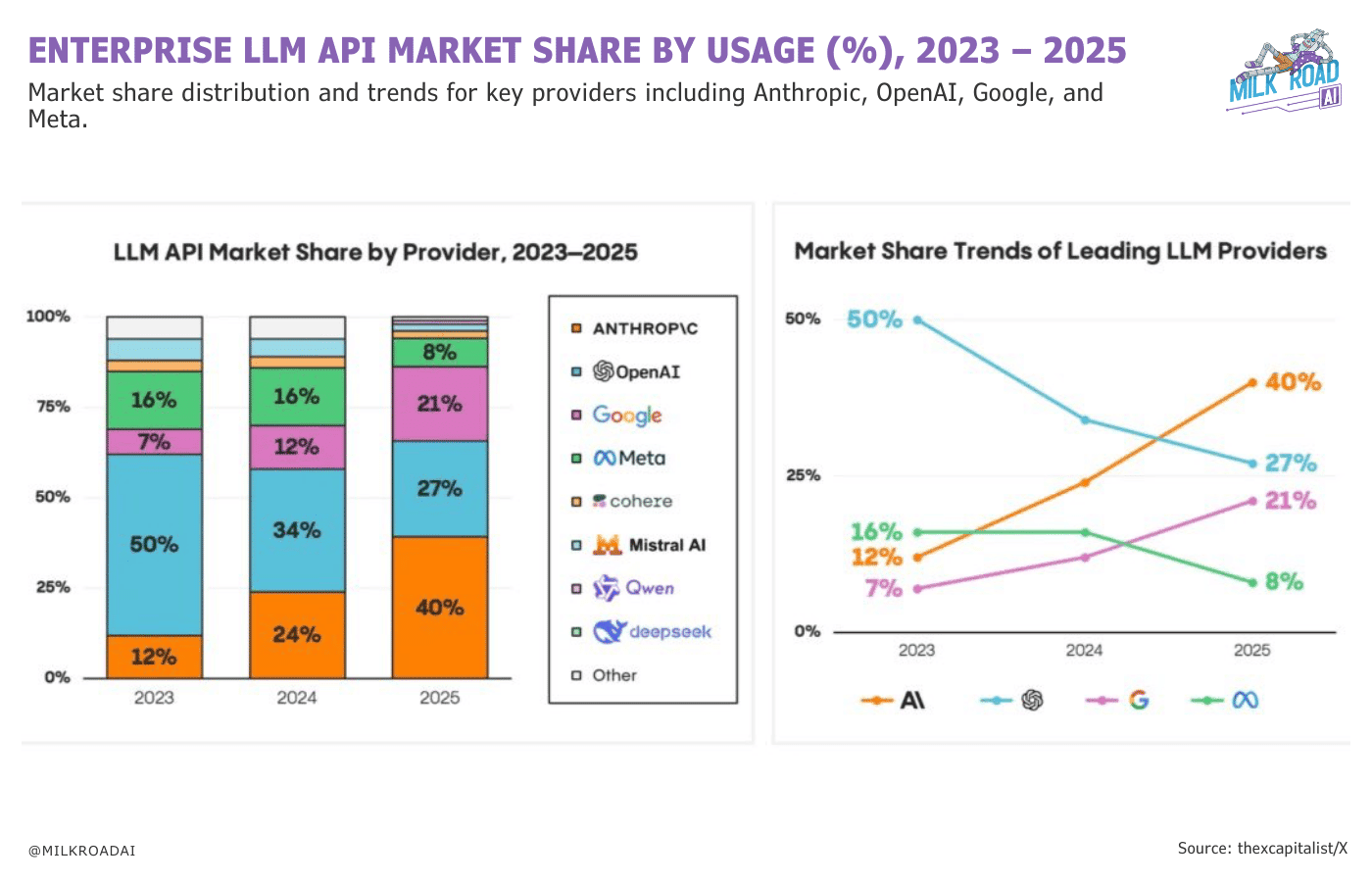
Anthropic’s Claude is the most used AI by developers. It dominates enterprise LLMs with over 40% of the market thanks to their subproduct Claude Code.
Claude Code is the most powerful AI-assisted software solution in the market, although its also a little more complex than others like Loveable and Replit.
Getting started with Claude Code is easy even if you’re not a developer, follow the steps below as I create a simple app without writing a single line of code.
A few weeks back Anthropic announced Claude Cowork and the Internet went wild for it, and this past week everyone’s been going wild again about Clawdbot (now named Moltbot), which allows you to make your own personalised agents.
So this week I decided to show how to use Claude Code as its clearly carved out a very strong niche for itself in the software development side of AI. I’ve previously written posts on how to use Loveable, Cursor and Replit, so it was finally time to write about Claude.
If this post resonates with you and you enjoy the content then please share it with a friend and get rewarded for doing so!

This blog goes out weekly to some 20,000 subscribers. Please message me if you’re interested in sponsorships or partnerships.
Claude Code
Claude is the name given to Anthropic’s AI product line, much like OpenAI has ChatGPT and xAI has Grok.
If you haven’t heard of Anthropic, they are one of the top AI labs in the world and were recently valued at $350bn. Their now prolific founder Dario Amodei used to work at OpenAI but left early on taking a scrappy team with him and went onto build this huge competitor.
Claude has grown mostly within the software developer community thanks to Anthropic’s subproduct “Claude Code”, which is considered to be the best AI solution currently out there for developers.
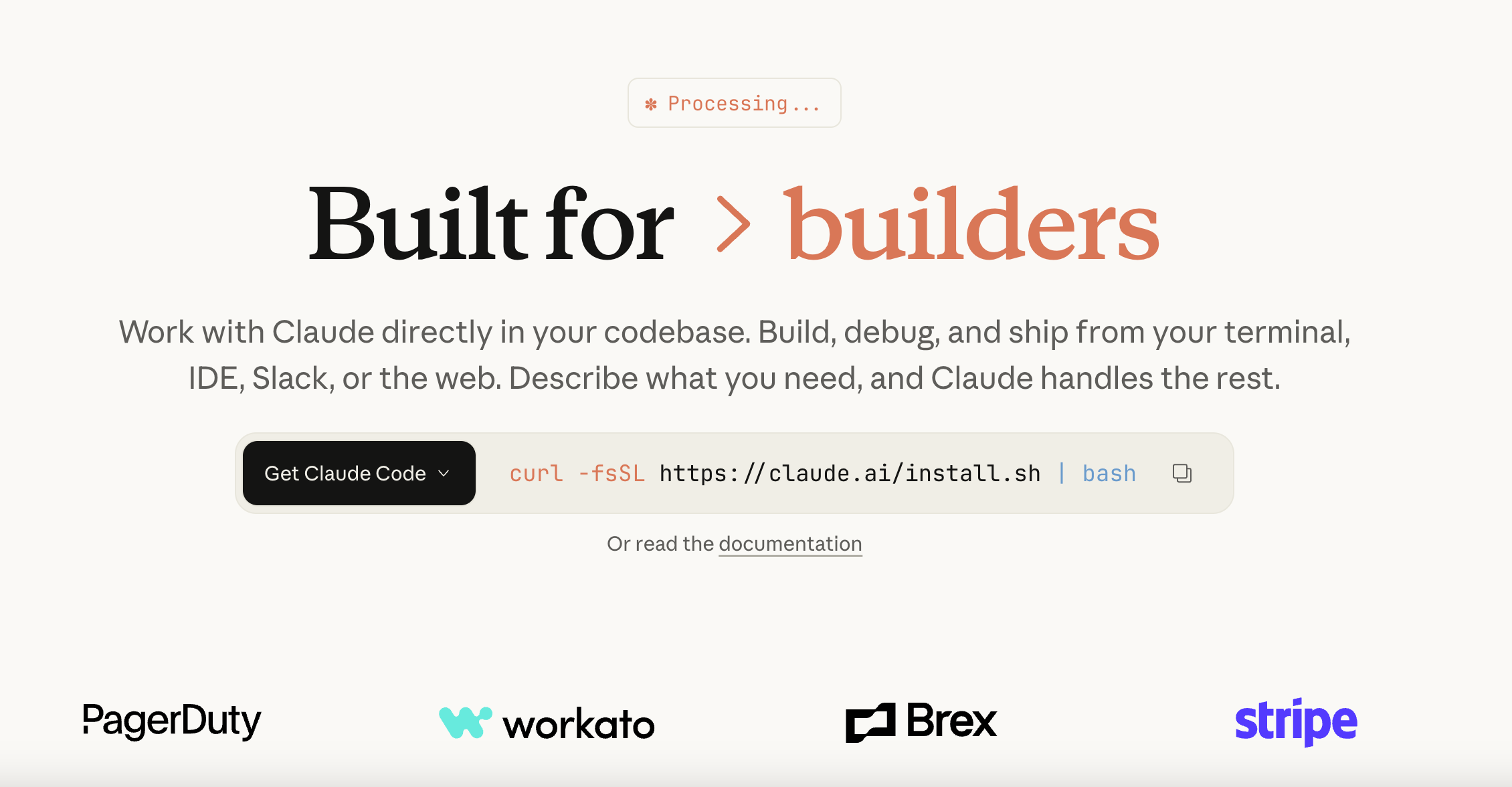
I’ve written a lot about other AI-assisted developer solutions like Lovable, Cursor and Replit, so I felt like it was finally time to speak about the most successful of them all!
Especially with the recent hype around Claude Cowork and Clawdbot/Moltbot, which are AI Agent products built on top of Claude (that I may write about in a future post).
And when the CEO of YCombinator is talking about doing all-nighters playing with Claude Code, you know its a pretty big deal.

One particularly fascinating fact about Anthropic and Claude is that it actually has a relatively small user-base within the AI space with supposedly less than 20m MAU (monthly active users), which is 40x smaller than OpenAI’s 800m+ MAU.
However, Claude has entirely dominated the “enterprise” side of LLMs and now accounts for 40% of all LLM providers within the enterprise market!
Unsurprisingly enterprise customers are the ones who pay the most money, and so even though Claude has a relatively small MAU compared to ChatGPT, OpenAI is currently generating only 2x the revenue of Anthropic!
While OpenAI is doing around $20bn in annual revenue, Anthropic is doing around $9bn, and has roughly 100x’d its revenue from the start of 2024 when it was doing *just* $100m in revenue!
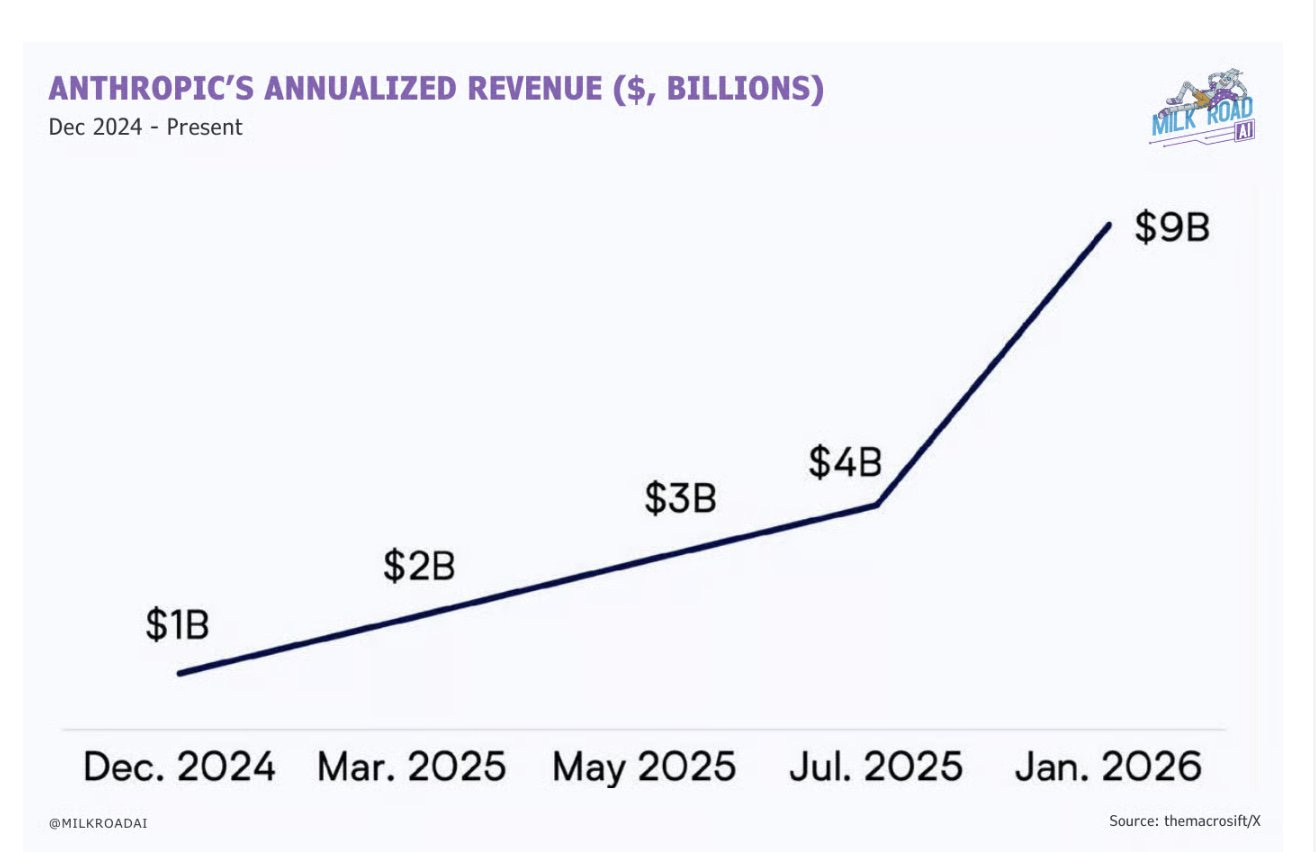
This massive growth in revenue is essentially because of how wildly successful Claude Code has been.
Whereas OpenAI has hundreds of millions of free users, the majority of Claude users are paying customers since so many of them are developers using Claude Code. This by the way is why OpenAI are looking to introduce Ads into their free version, but that’s a conversation for another day.
For this week I decided to show you how to use Claude Code by building a simple app that when given EVM addresses shows their total net worth.
Getting Started
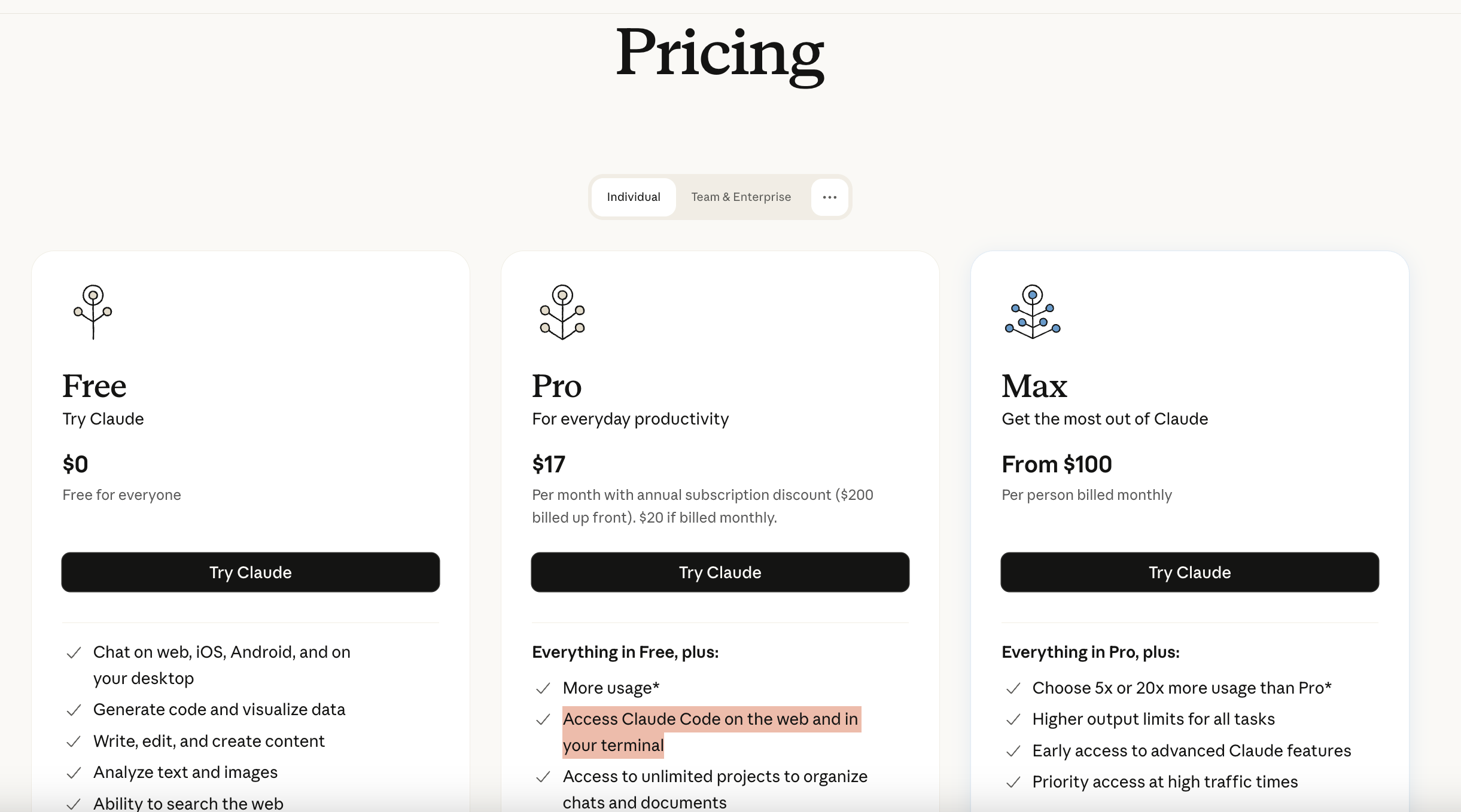
Claude Code is super easy to setup and get started even if you’re not a coder. Since its a paid service though the first thing you’ll need to do is sign up to the Pro subscription for $17 per month - remember that you can always cancel it after the first month.
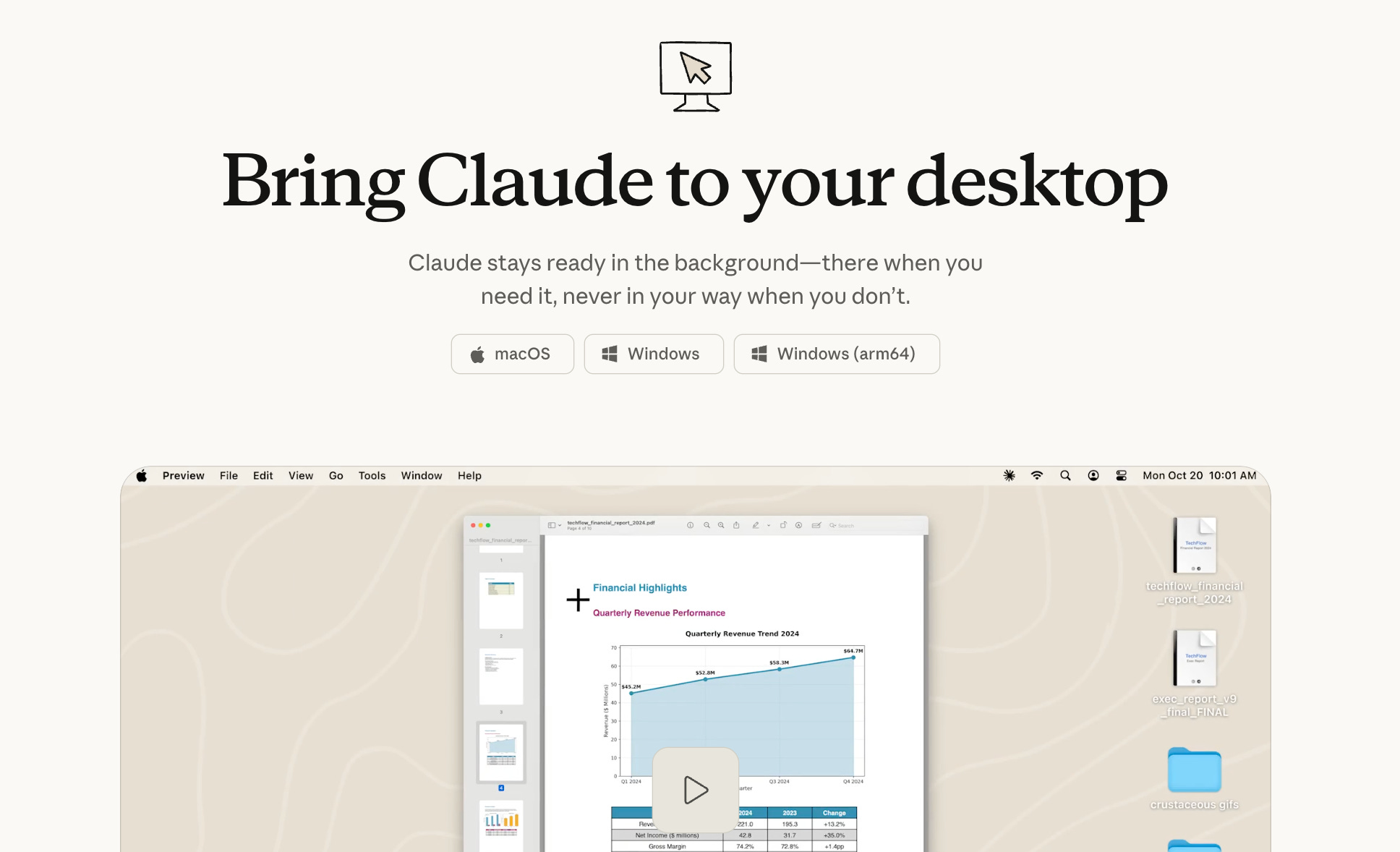
For the sake of keeping things simple, next I recommend downloading the Claude app onto your computer. If you’re a developer you can download Claude Code through the command line and add it to your IDE but we’re not going to do that here.
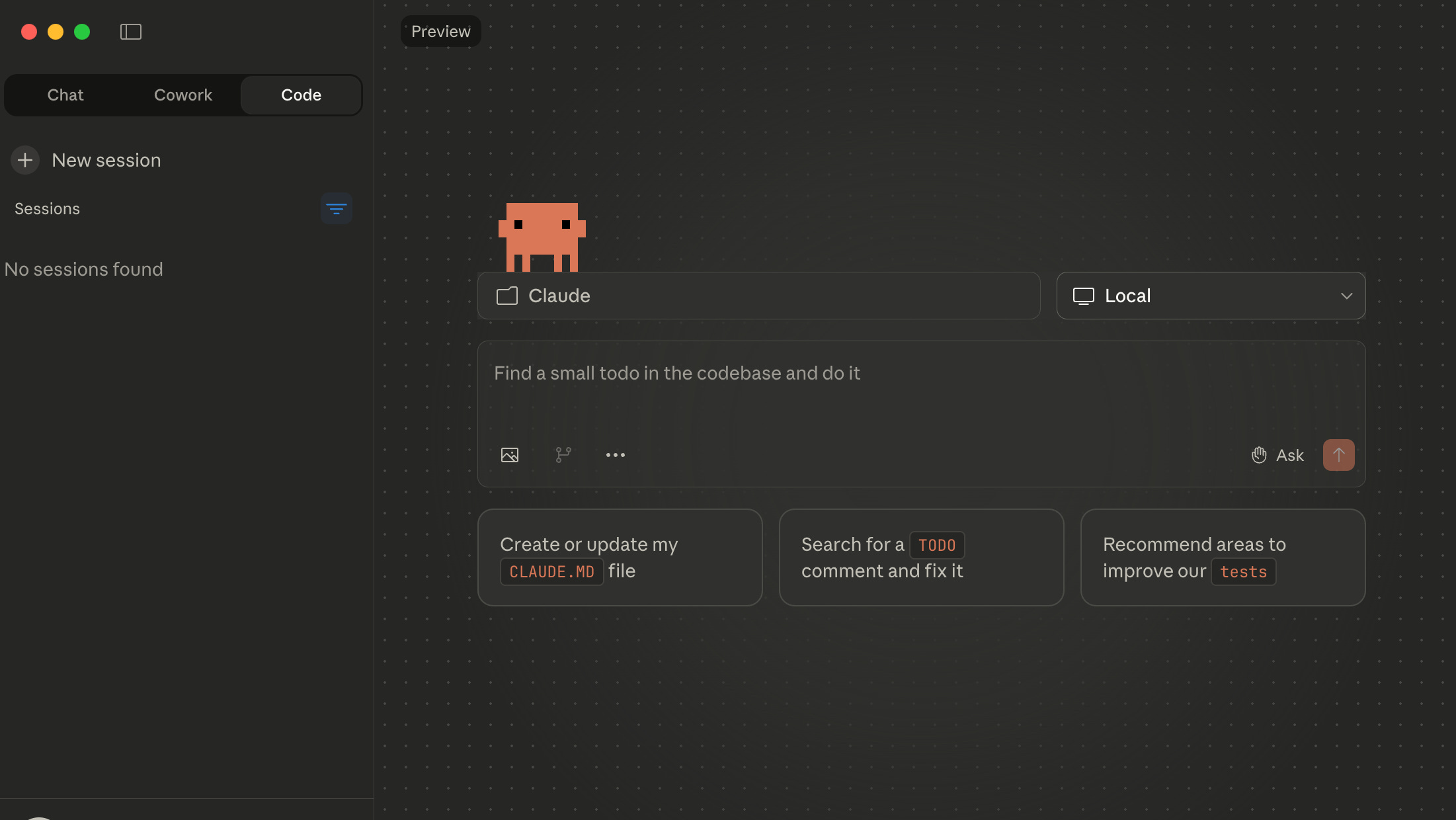
With the app downloaded you’ll now be able to navigate between 3 tabs: Chat, Cowork and Code. Select Code and create a folder on your computer for Claude to work in. Note that you can alternatively set up Claude on the web and connect it up with a GitHub account but as above we won’t do that here.
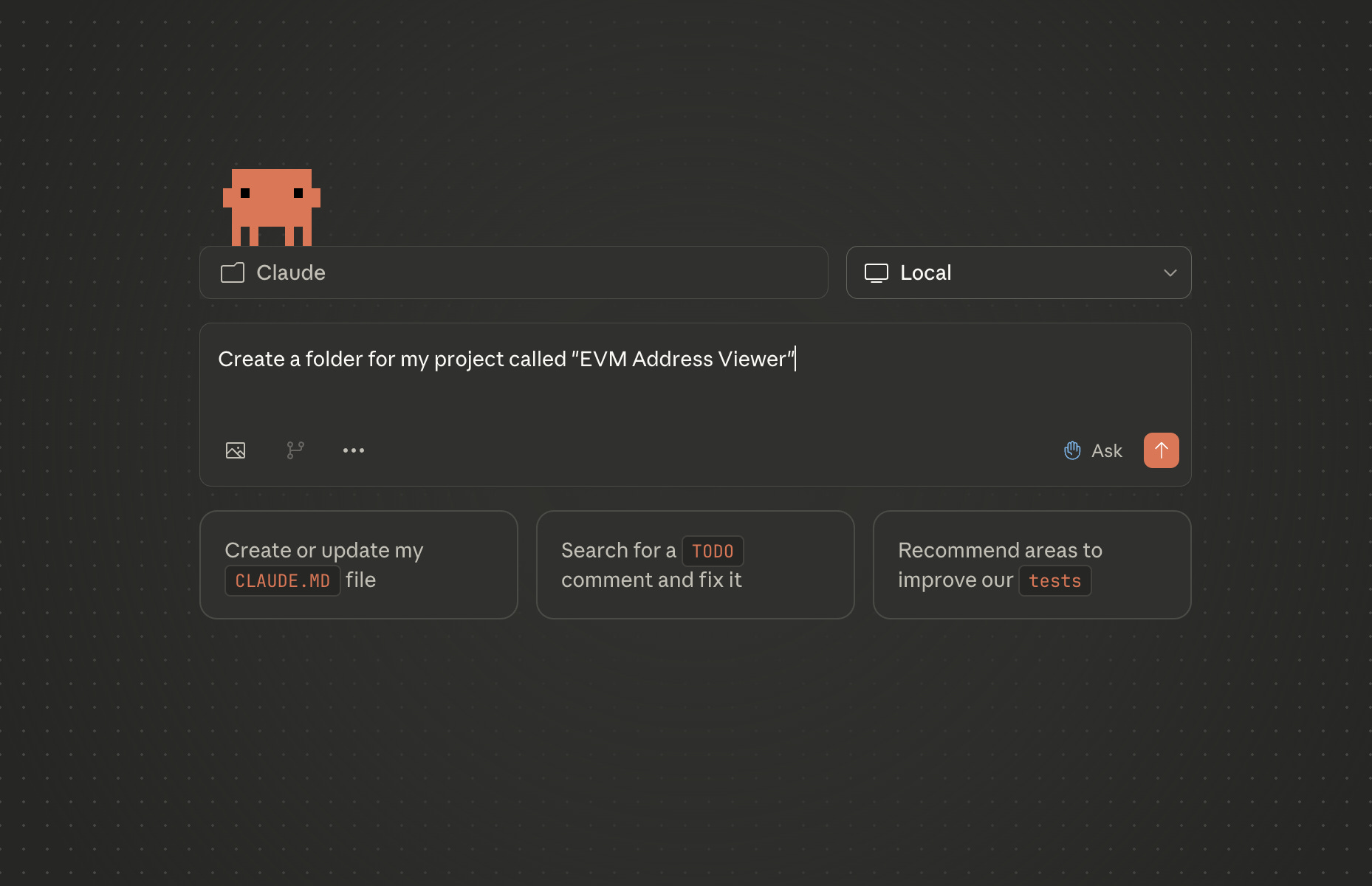
Before we start building let’s just ask Claude to create a new sub-folder for us to work in, then we can get started.
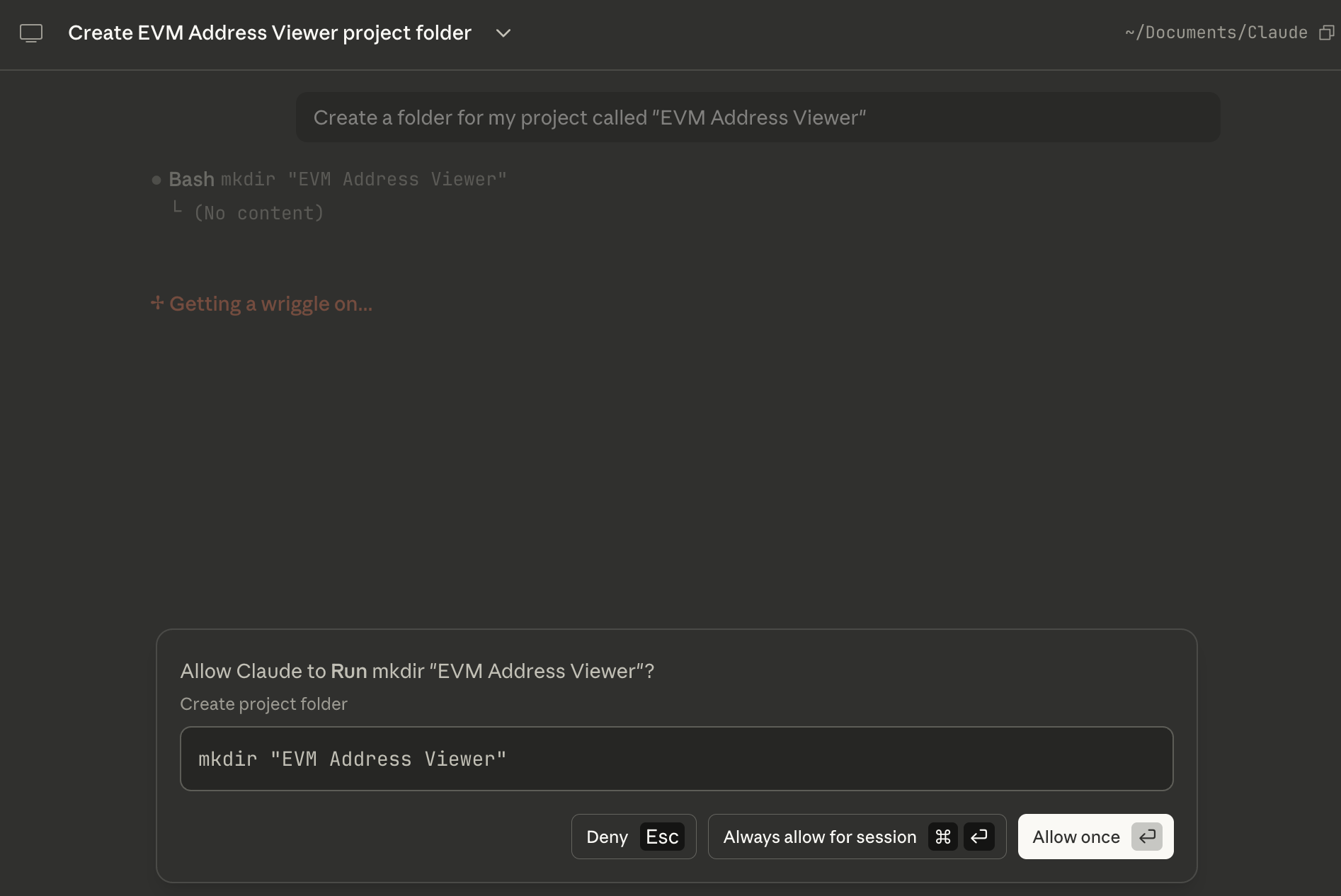
If this is the first time using Claude you’ll probably be asked to give it a bunch of little permissions, and then you’ll be required to “allow” it to take an action for you before you can move on.
Great we’re now set up and ready to go!
Planning
Remember that we’re building a simple app that when given a list of EVM addresses will give you the net worth of their token balances.
So the first prompt will just be making this very explicit, but we’ll select the “plan” button in the bottom right to see what Claude says it’ll do.
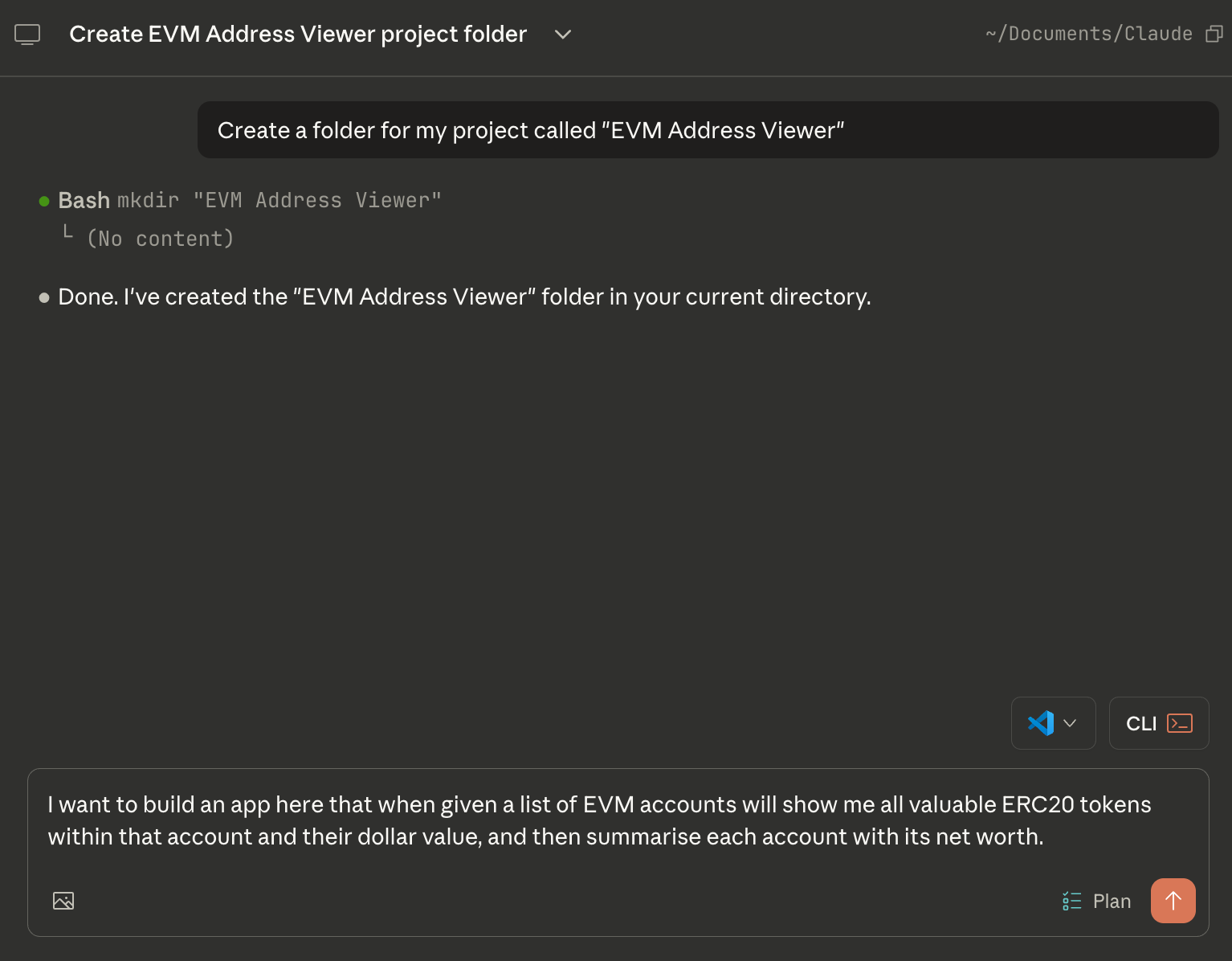
When you hit run Claude will then kick into gear to solve the problem. In this case it also decided to ask a few questions to help its planning.
It asked firstly about the Tech Stack, which I recommend going with React and Typescript.
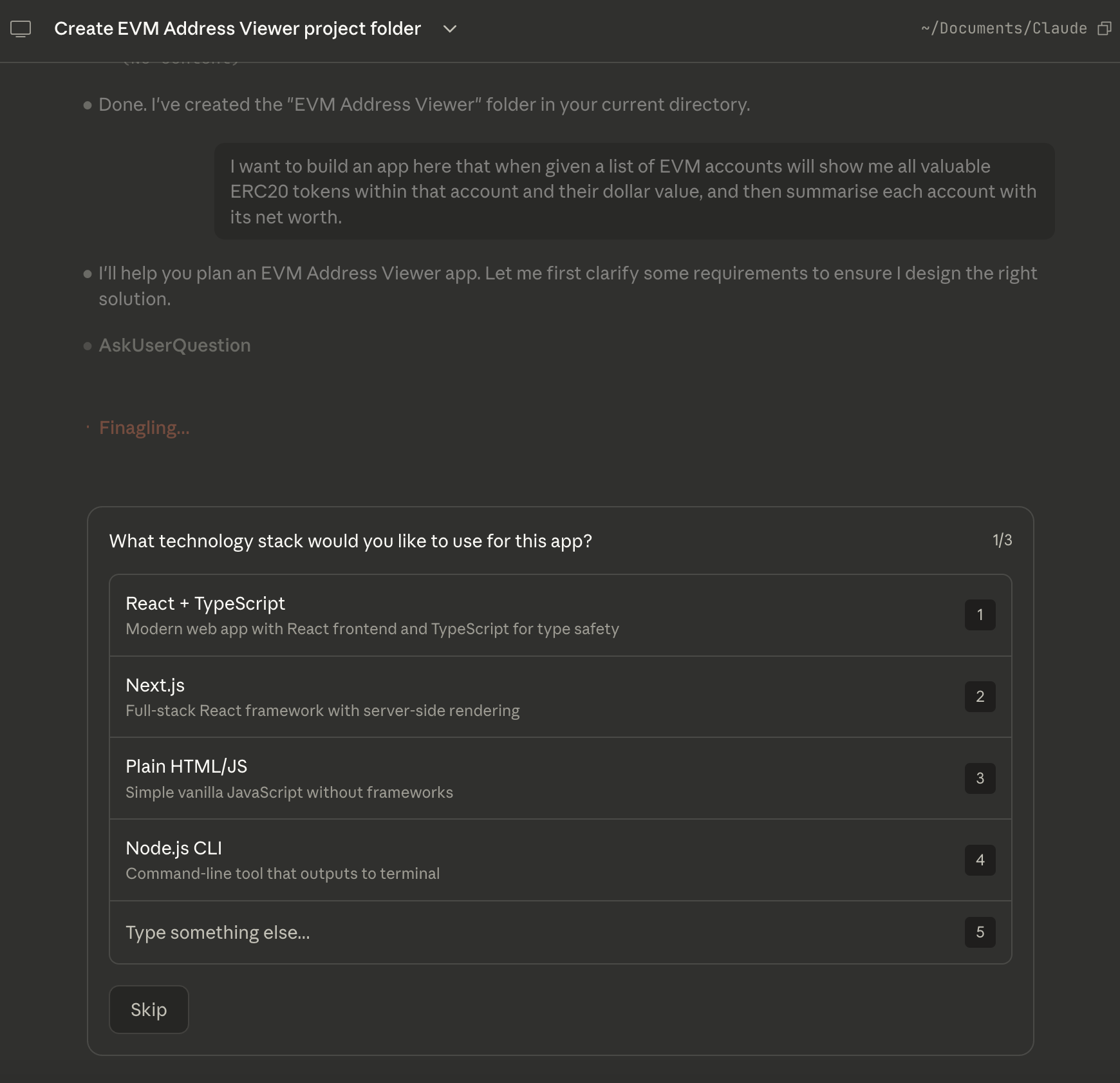
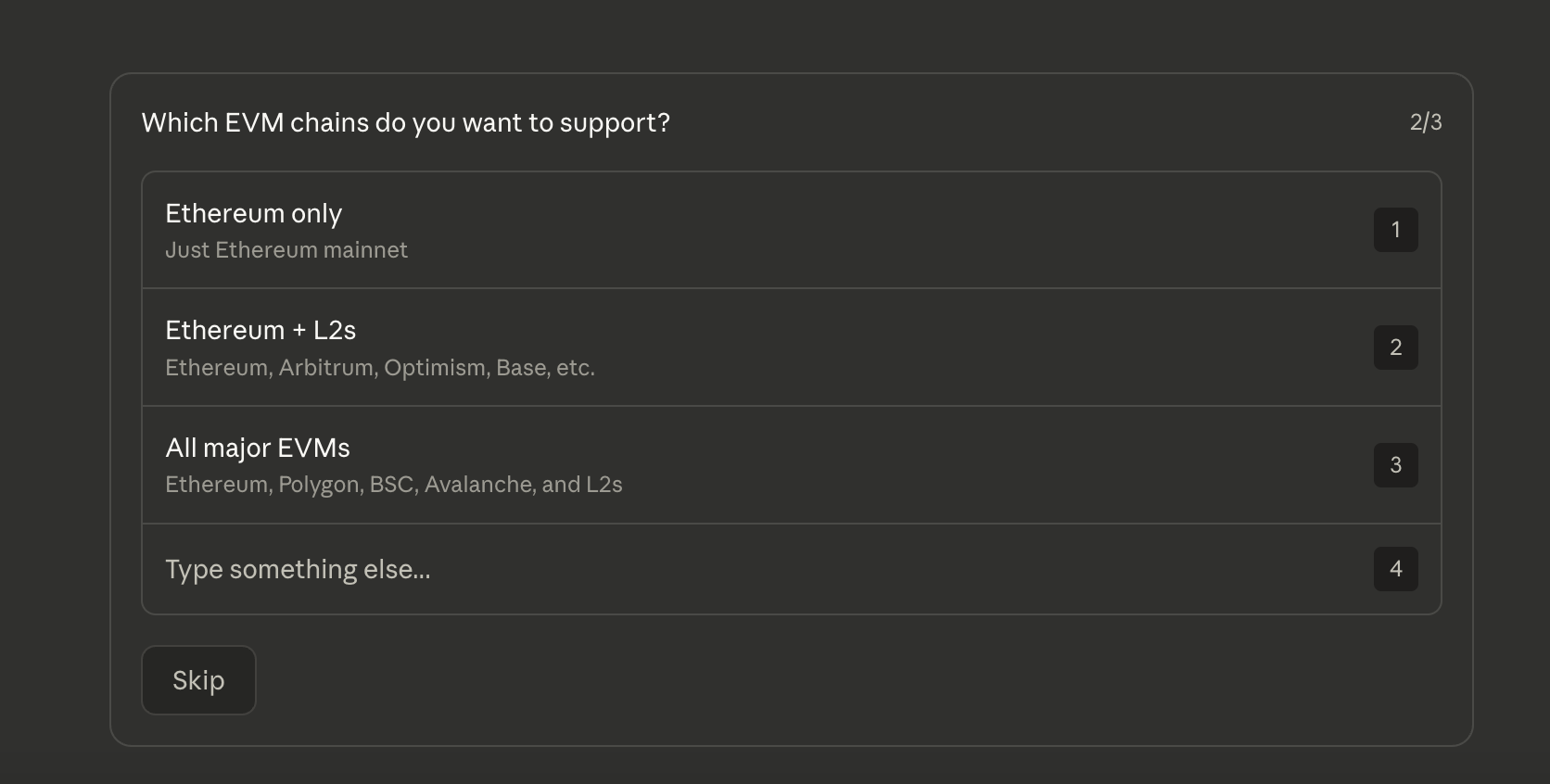
It also asked what EVM chains to support, and here I went with “All major EVMs”.
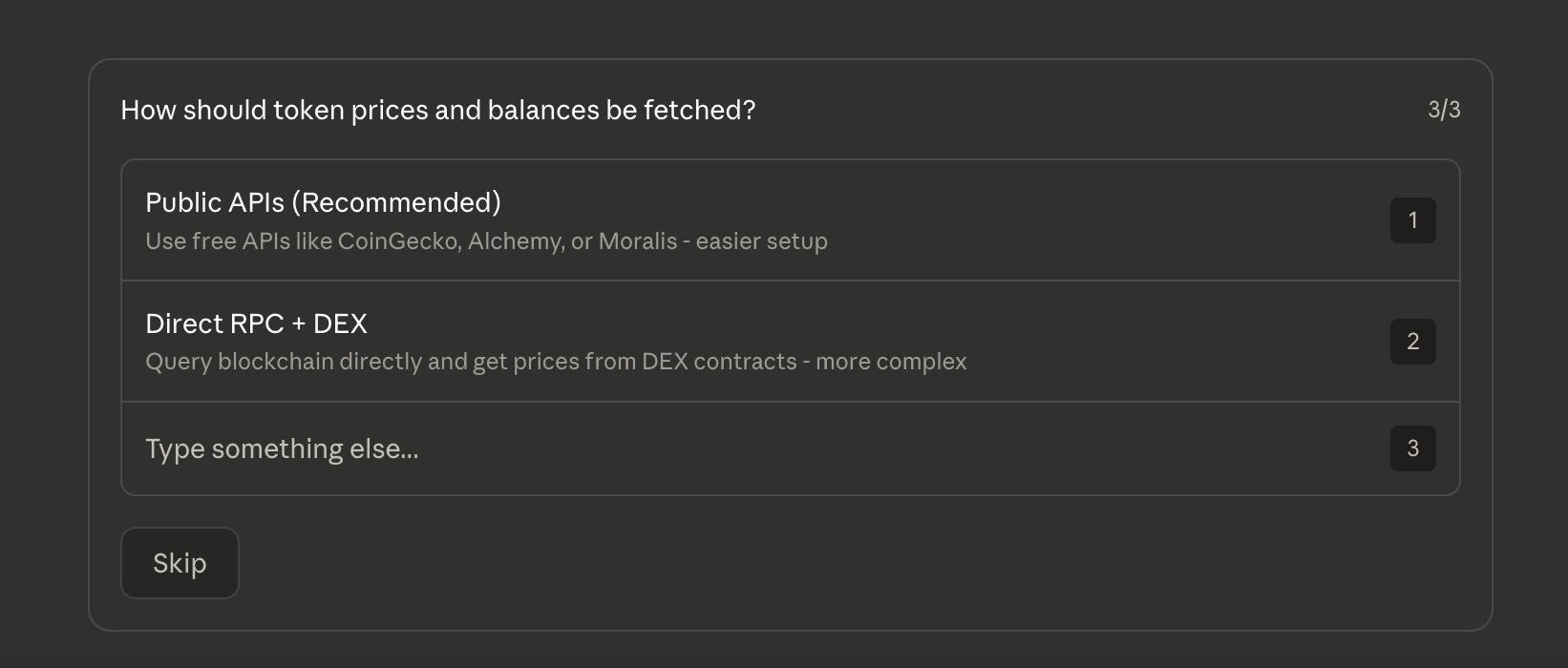
And finally it asked about how to fetch token prices, in which case I went with public APIs because its the simpler solution.
With all these questions answered it then drew up the plan, which looked a bit like this below.
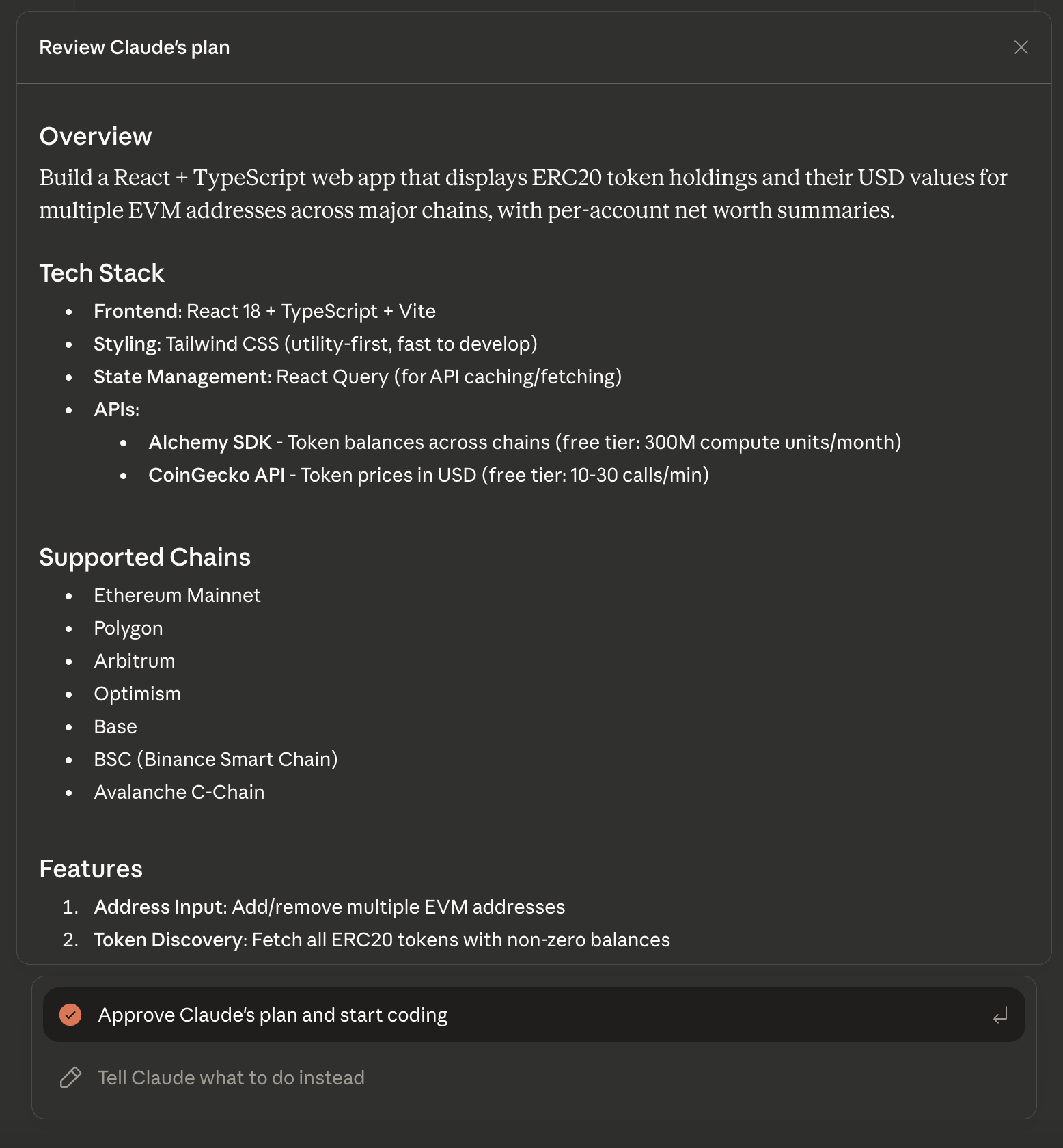
On reading along the entire plan at the end it said that I would require a free Alchemy account with an API key.
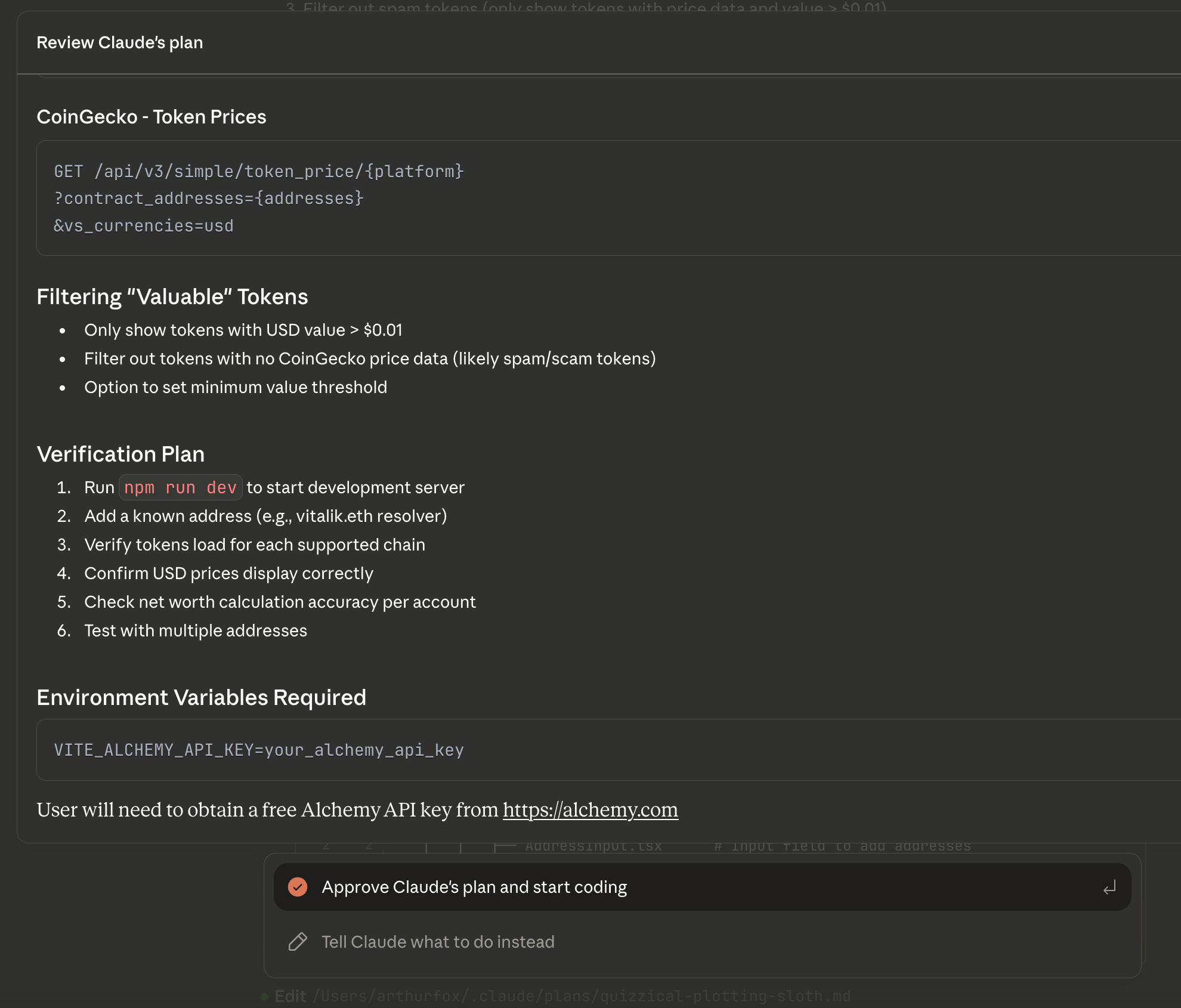
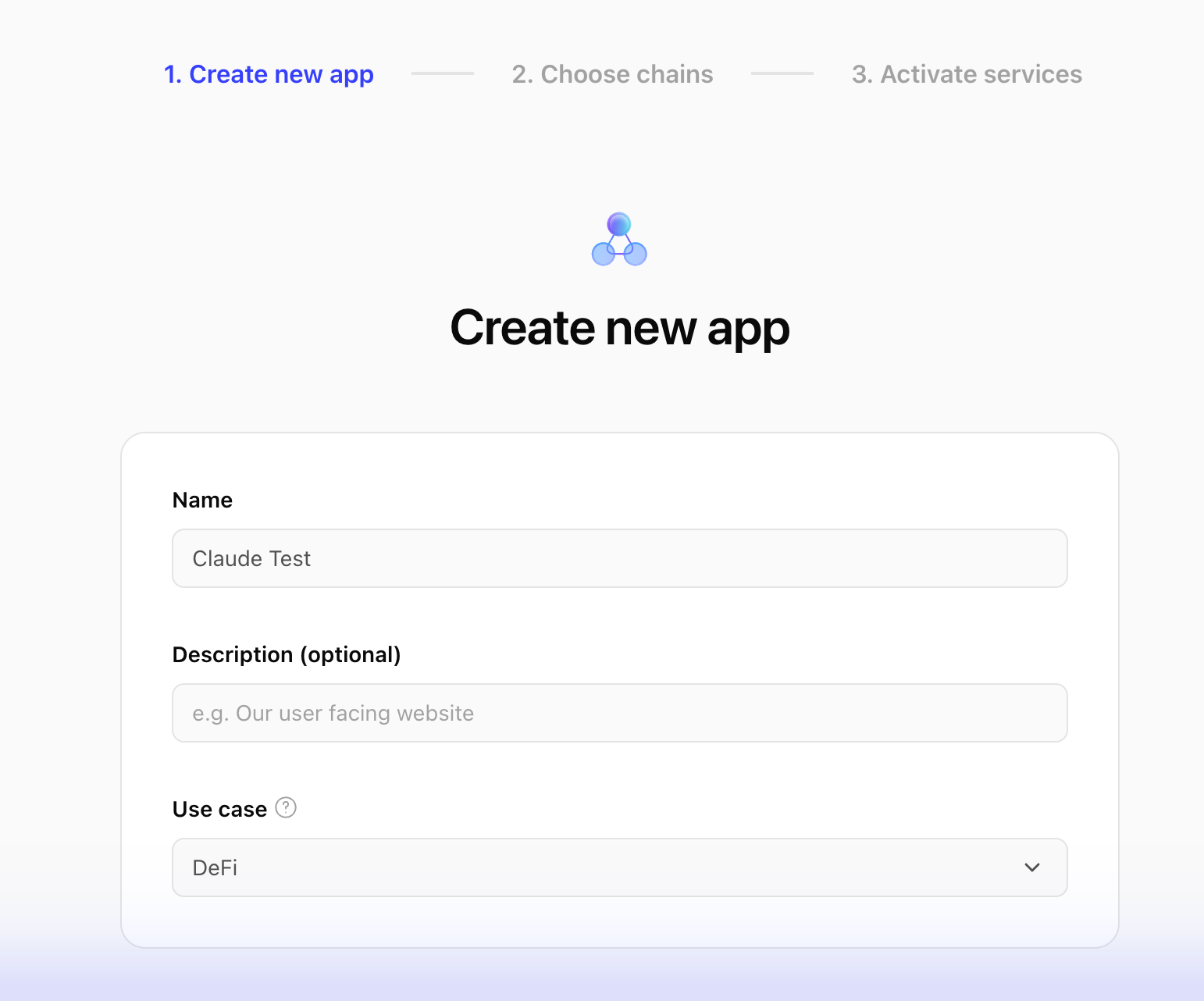
So I created an account in Alchemy and created a new app in their dashboard that I called “Claude Test” and enabled all EVM networks.
The API key appears in Alchemy’s app dashboard, however its meant to be a secret so I asked Claude how to give it the Alchemy API key, and it suggested adding a placeholder, which I could see in its updated plan.
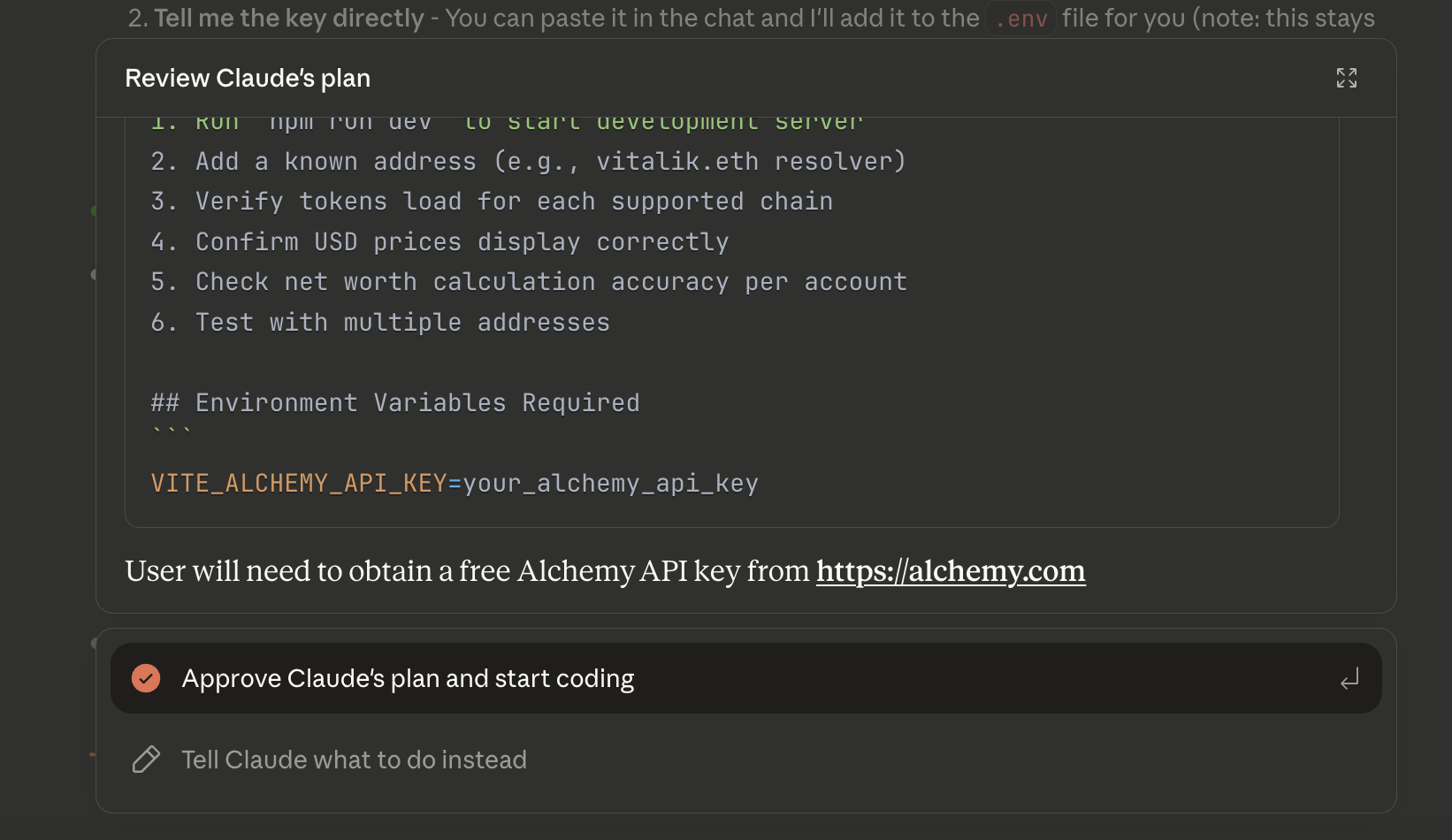
With the plan looking good I selected “approve” and it began its work!
Building
On selecting approve Claude got started building. The first thing it did was create its own list of “Todos” and tick them off one by one.
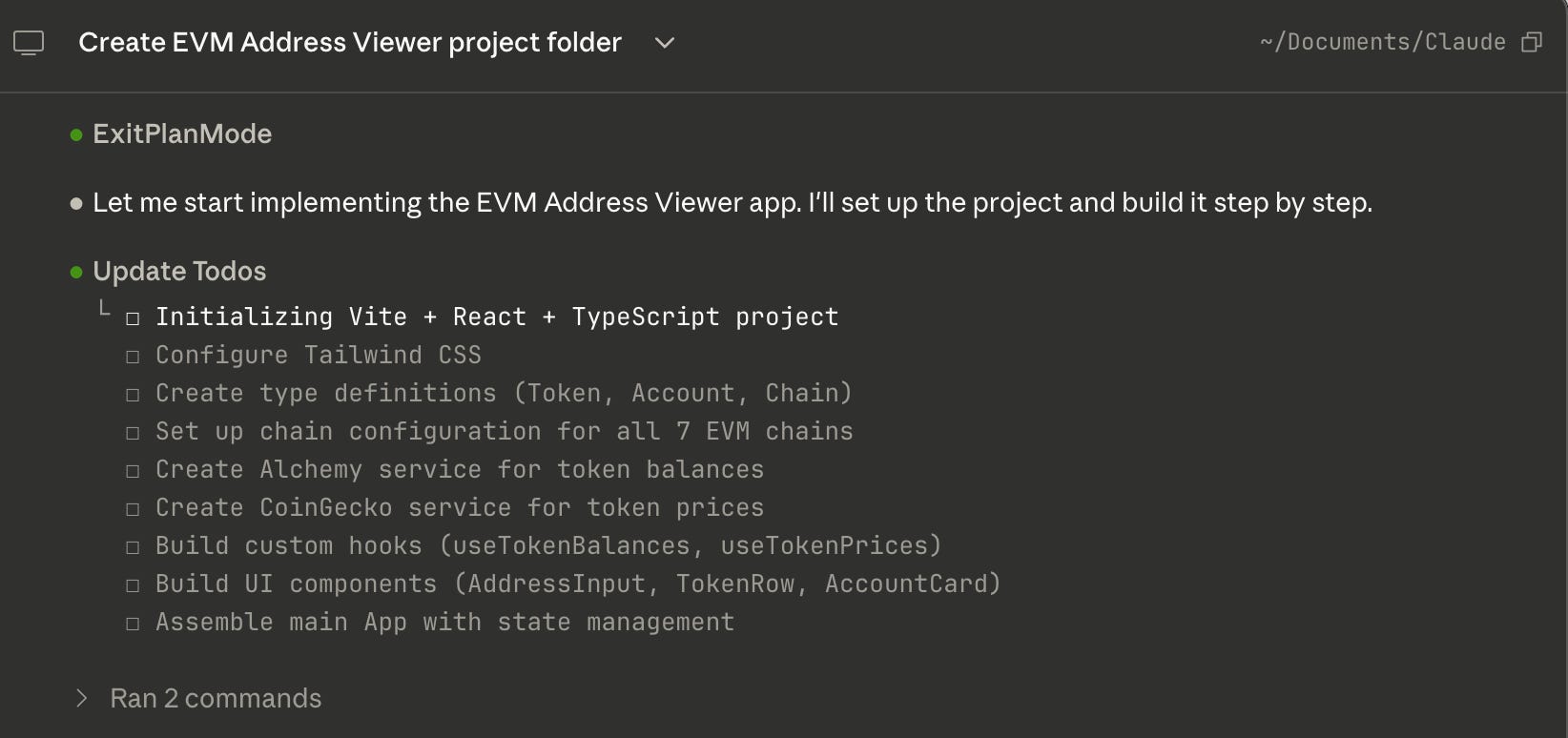
I wasn’t able to entirely walk away and just let Claude do its thing though because a few times it asked me for permissions which I had to “allow” along the way.

But in about 15 minutes, it went through all the tasks in its own list, ticking them off one by one until they were finished!
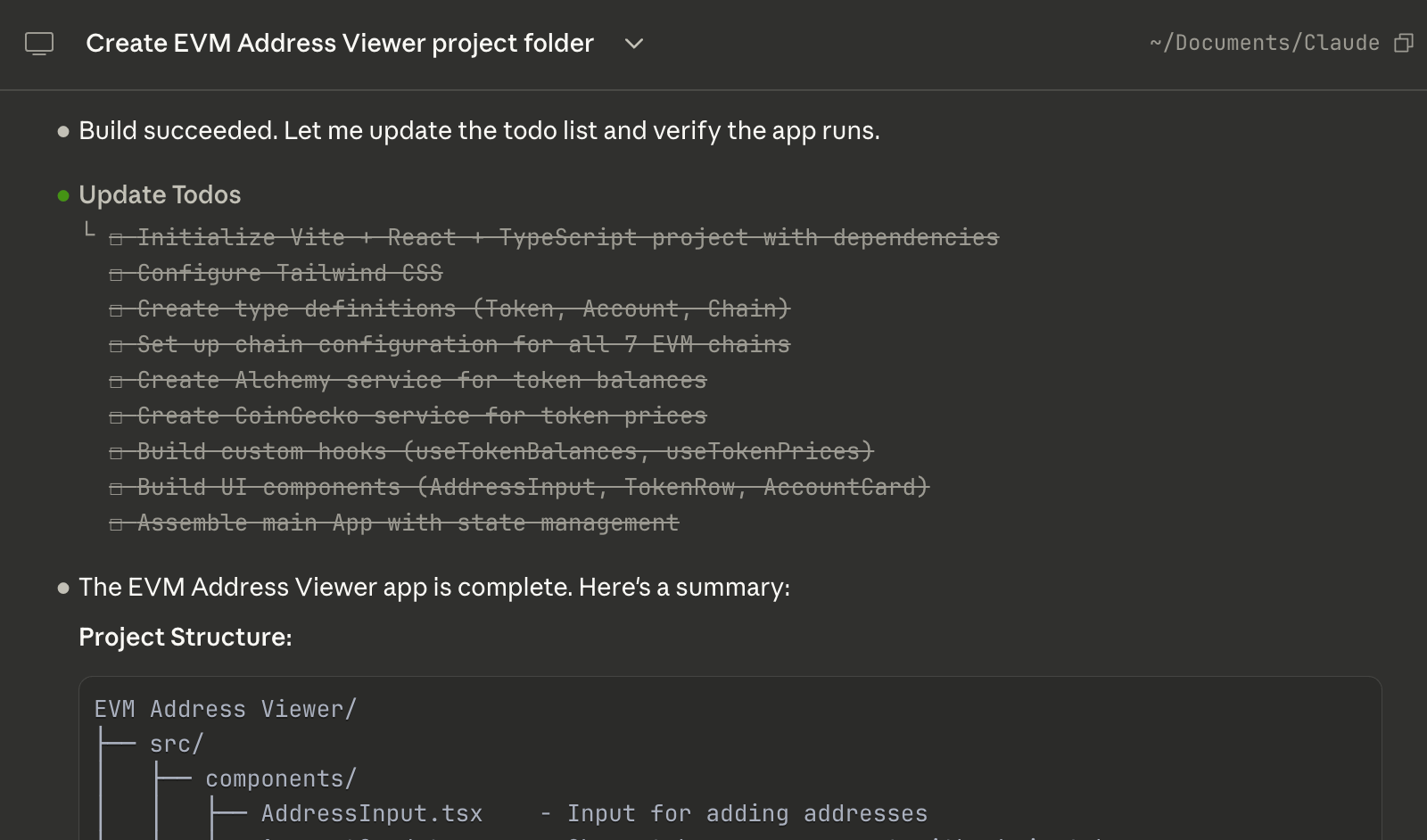
With Claude having finished its work the final steps were simply to copy the Alchemy API key in, and then run the app!
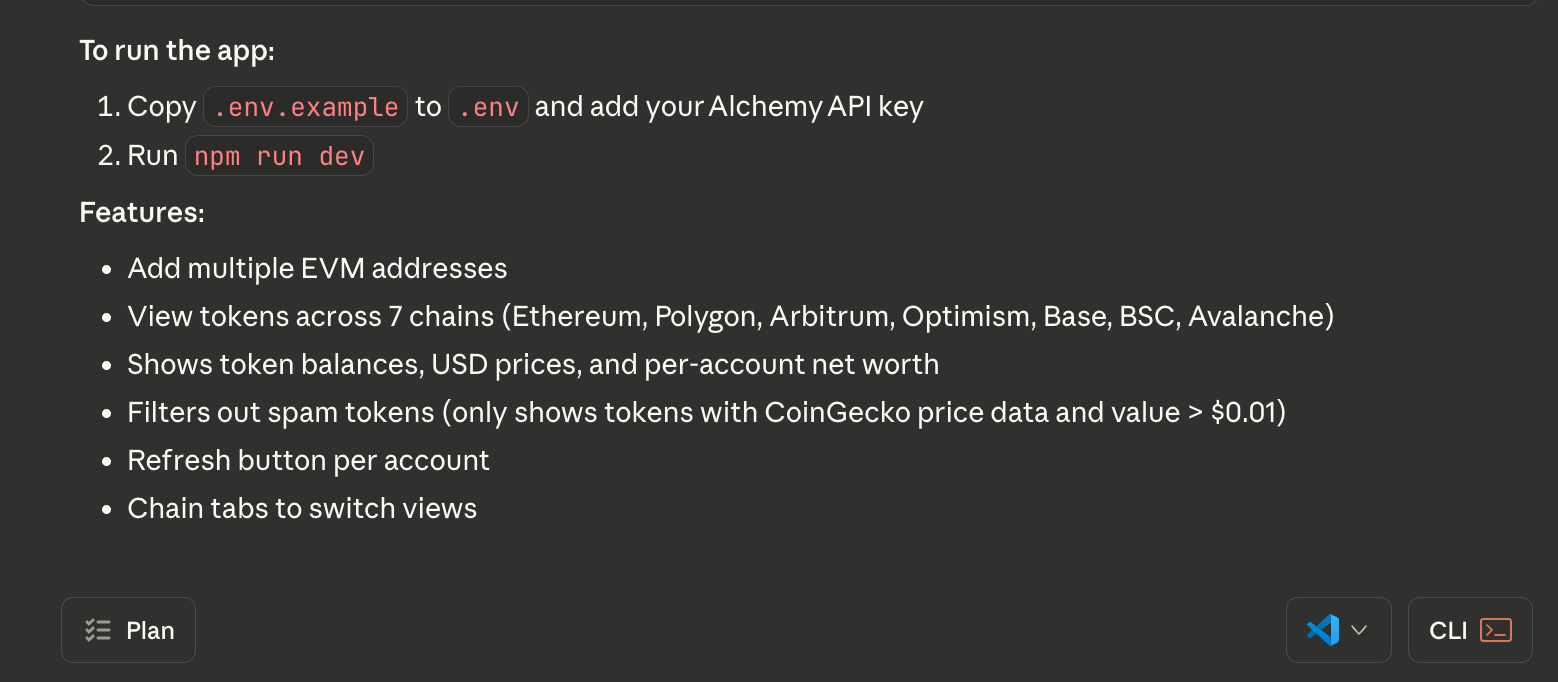
I copied the .env file over (note that this is a hidden file, if you can’t find it then follow this guide on Windows or this one on Mac to show it), and saved the Alchemy API key into the file.
With this step done I had a working app ready to run!
Running
Now the final step was just to run the app, and even with this you can ask Claude to run the app for you:
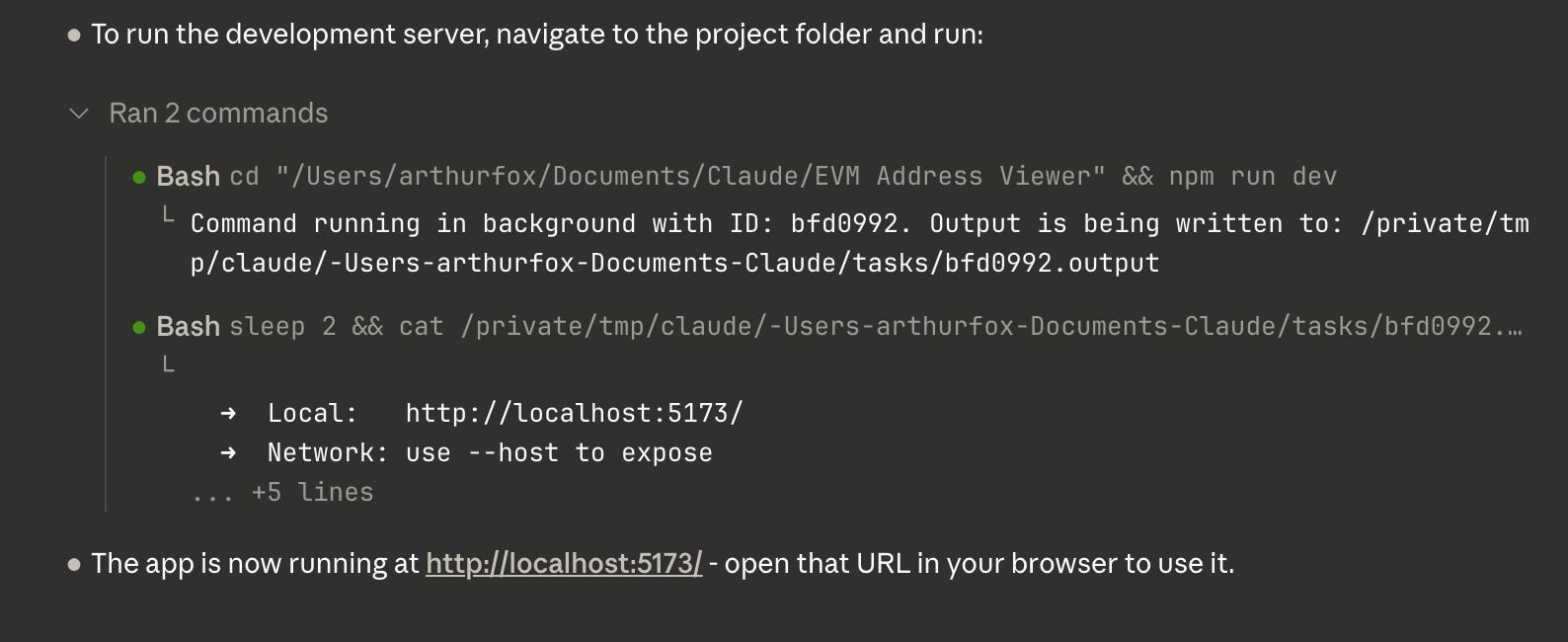
In this case it ran the app at http://localhost:5173/ for me, and by clicking this link the app opened up:
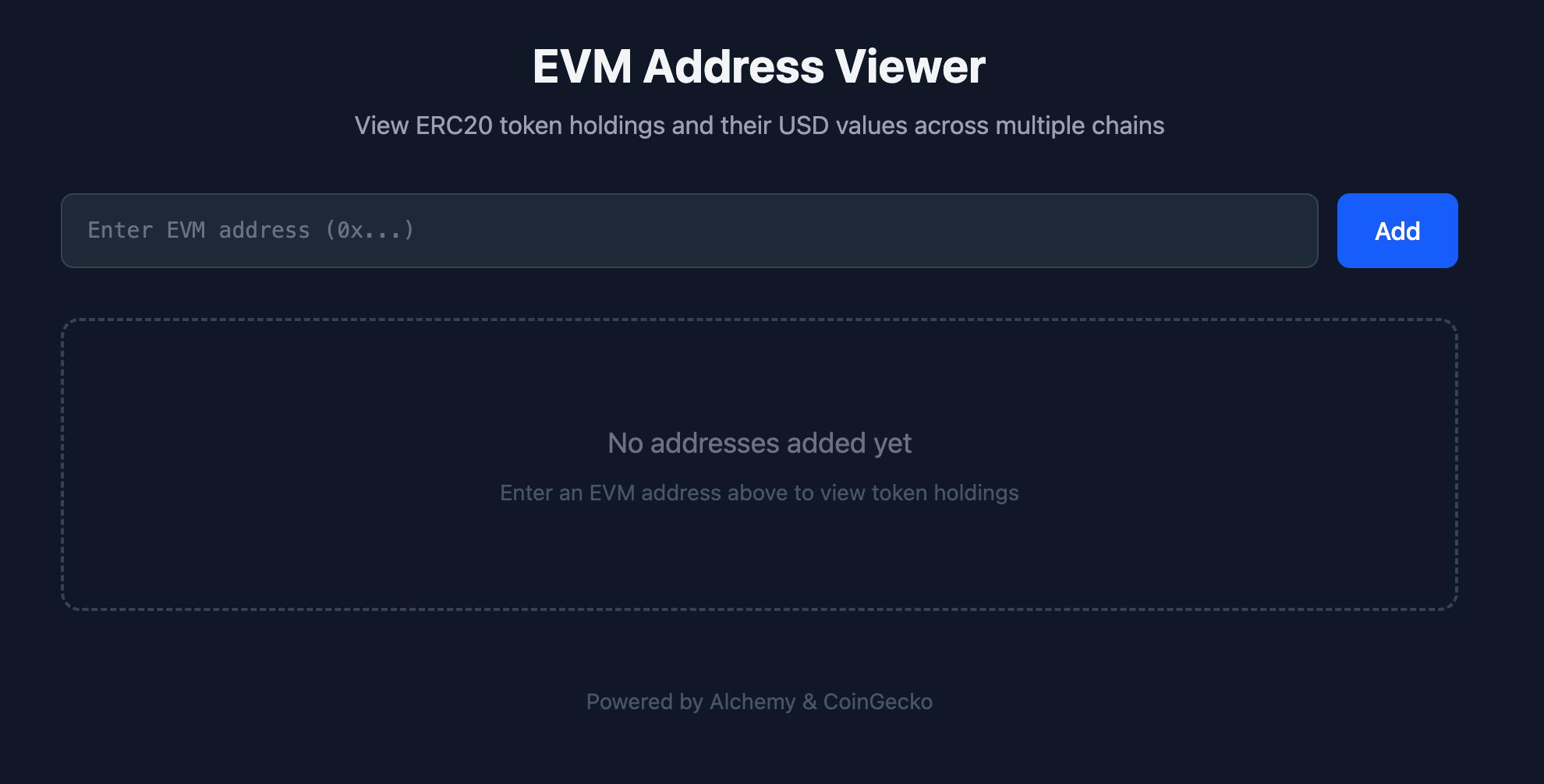
I then added a few different addresses one at a time into it and got the following output showing the different net worths for different addresses on different chains!
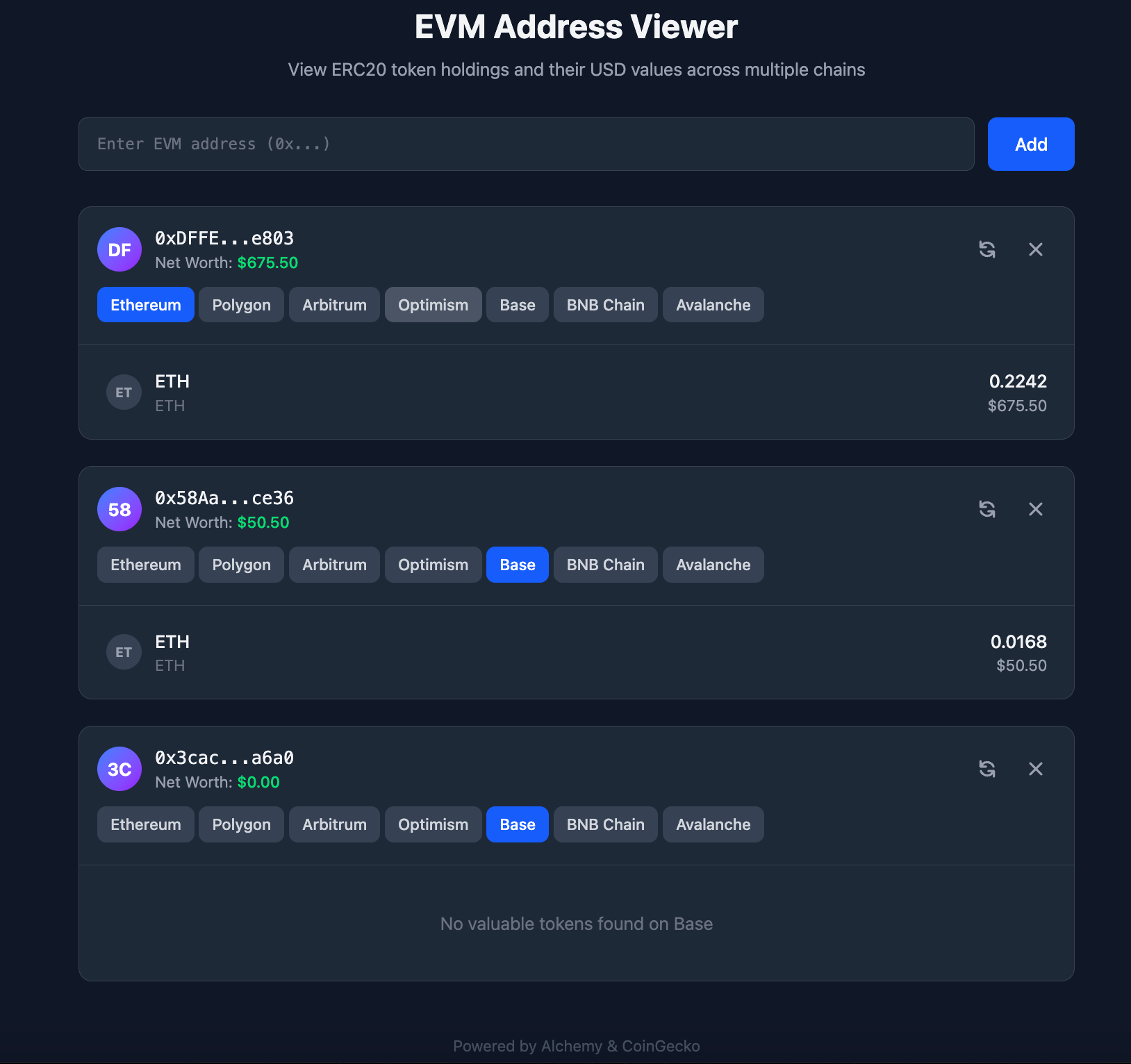
Success!
I could easily add a bunch of valuable extensions here like allowing it to take a full csv file rather than manually inputting addresses one by one, all I’d have to do is ask Claude to plan and build these new features once again as above.
Honestly the sky is the limit, but for the sake of this post and tutorial I’ll stop here.
The important thing is that you can see that using Claude Code is quick and easy and gave me a great outcome! Even a non-coder can make use of these great tools as I didn’t need to write a single line of code.
AI is moving fast
As you just saw above it was relatively easy for me to build a solution that allowed me to get the net worth of a set of Ethereum addresses.
It’s honestly pretty incredible to think that I built this without writing any code myself. If I’d been coding it then it would have taken me some time but instead with Claude Code it only took at most 30m while I worked on other things in parallel.
Since OpenAI released ChatGPT in November 2023 we’ve seen such incredibly fast growth in AI. This technology is moving so fast and while some find it scary I personally find it very exciting.
I’m such a big believer in being part of all this that I’ve even built my own AI product with my cofounder called yieldseeker, which is a platform where users get their own AI agent in DeFi that finds them the best yields on autopilot.
AI is fuelling growth everywhere you look, we’re seeing companies acheive more with less as revenues are going up while costs are coming down.
Rather than fear the revolution I recommend embracing it, as we’re living through a moment of huge productivity growth like with the agricultural and industrial revolutions, and historically these periods have led to significant improvements in human quality of life!

Whenever you’re ready, these are the main ways I can help you:
Want high returns? Earn up to 14% APY with Yieldseeker!
Love Web3 insights? Follow @afoxinweb3 on X!
New to crypto? Join our beginners community to master crypto fast!
Building a Web3 app? Get our expert product development support!