
TLDR:
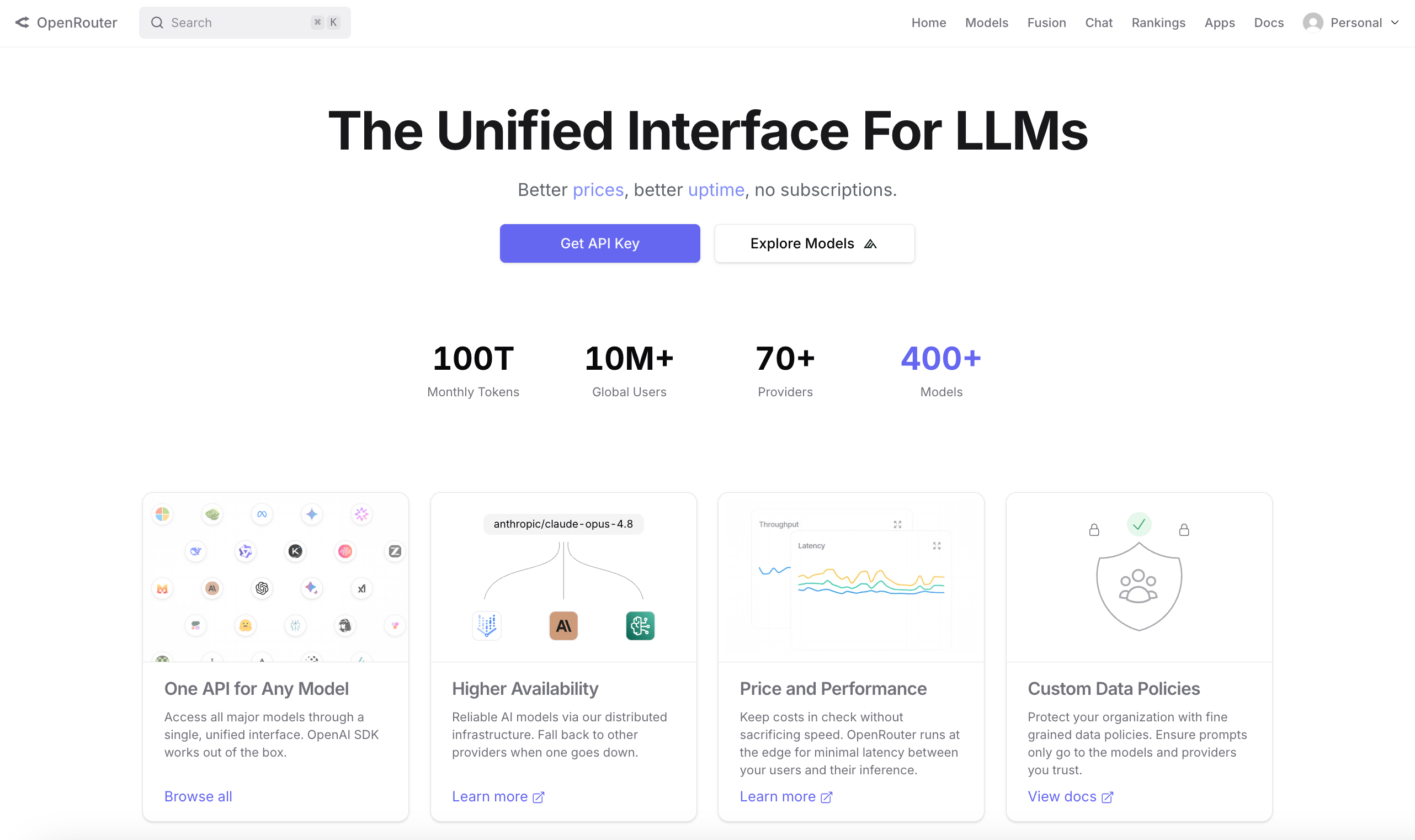
OpenRouter is a single API giving you access to 400+ AI models from 70+ providers. They have 10+ million users and process 100 trillion tokens monthly.
Sign up at openrouter.ai, buy credits, and generate a single API key that replaces every other individual provider key you manage.
The models page shows their 400+ models and the costs per token, while the ranking page shows which models people are actually using in the real world.
OpenRouter is supported by 250,000+ apps, with Hermes being one of the most popular. Having an AI routing layer allows you to adapt rapidly to changes.
Last week we looked at how to set up a Hermes agent. One of the first things the app asked us to do was connect an AI provider, and among those options was OpenRouter, a service which allows you to sign up just once and select freely between many different AI models.
So this week I decided to dive into OpenRouter as it’s become one of the most important projects in the AI space and I see it continuing to grow in importance.
If this post resonates with you and you enjoy the content then please share it with a friend and get rewarded for doing so!

This blog goes out weekly to over 20,000 subscribers. Please message me if you’re interested in sponsorships or partnerships.
OpenRouter
OpenRouter is a single API that gives you access to 400+ AI models from 70+ different providers. Claude, GPT-5, Gemini, Llama, DeepSeek, Qwen are all available through one account and one API key.
It was founded in early 2023 by Alex Atallah, who you might recognise as the co-founder of OpenSea, the NFT marketplace that defined the 2021 bull run!

He left OpenSea in mid-2022 to start something new and landed on a simple insight: the AI model landscape was going to keep fragmenting, and someone needed to build the routing layer that sits in front of it.
That insight has turned out to be right. OpenRouter now processes over 100 trillion tokens a month, has 10 million users globally, and has 250,000 apps running on its infrastructure.
One of the most popular apps for using OpenRouter is in fact the Hermes Agent that we covered last week.

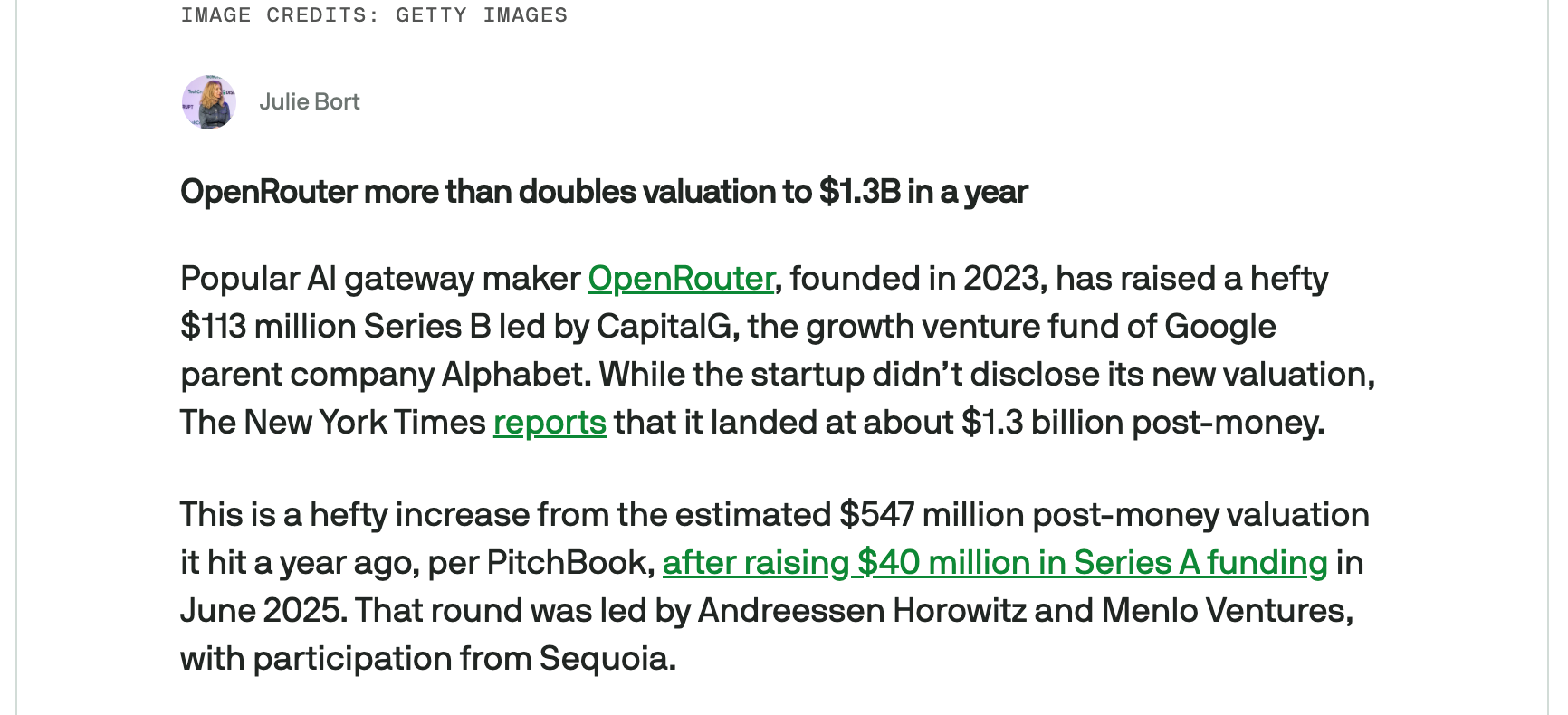
OpenRouter’s growth has caught the eye of investors and they recently raised a $113 million Series B round valuing the company at $1.3bn!
OpenRouter is incredibly easy to use, and below we’ll take a look at how you can get started with it.
Getting Started
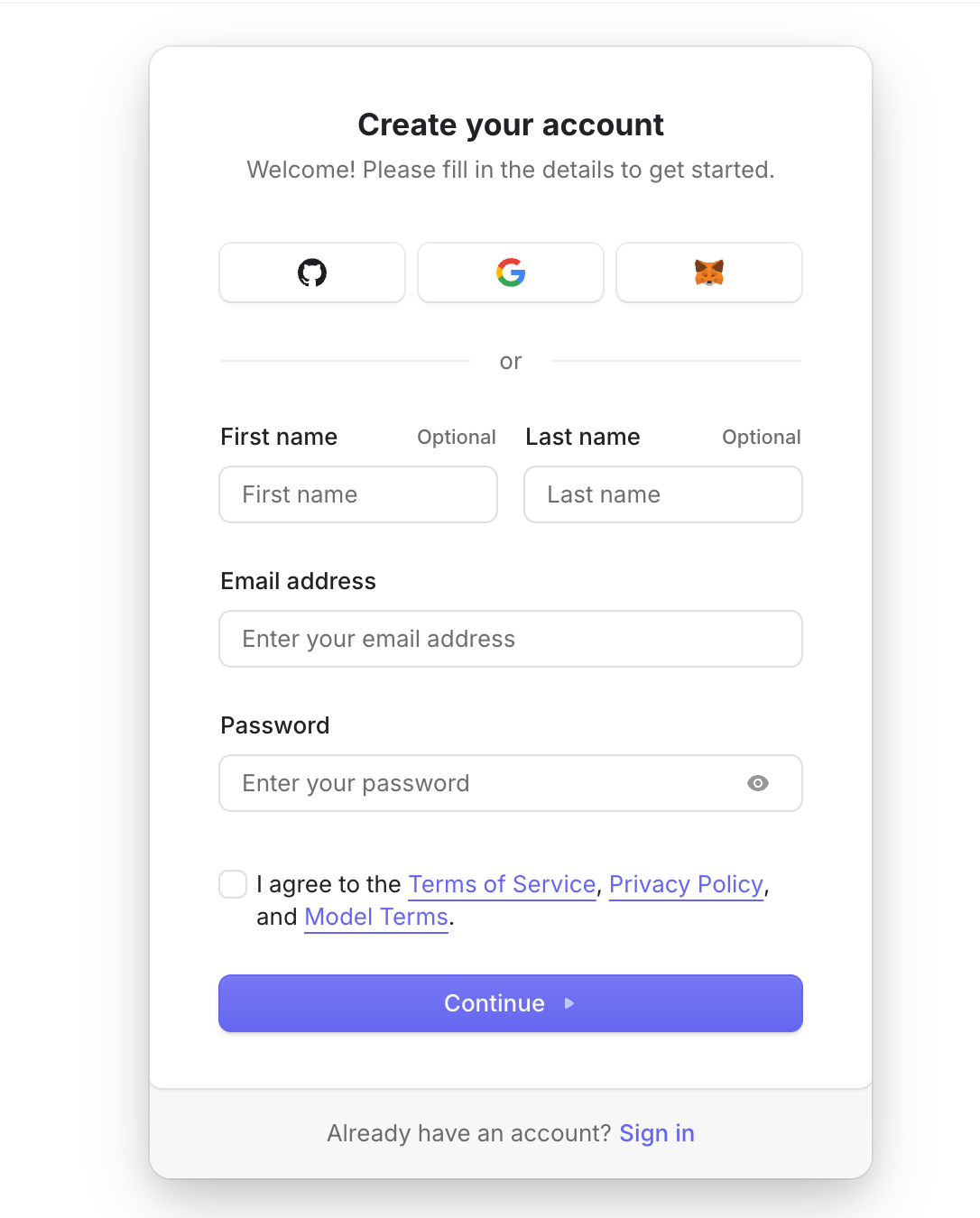
To get started, head to openrouter.ai and create an account. You can sign up with Google, GitHub, or MetaMask, which is a nice touch given the Web3 background of its founder.
OpenRouter will then run through some basic setup. It’ll ask you if you’re an individual or organisation and show you your API key, which you can re-generate later if necessary but you might as well save now.
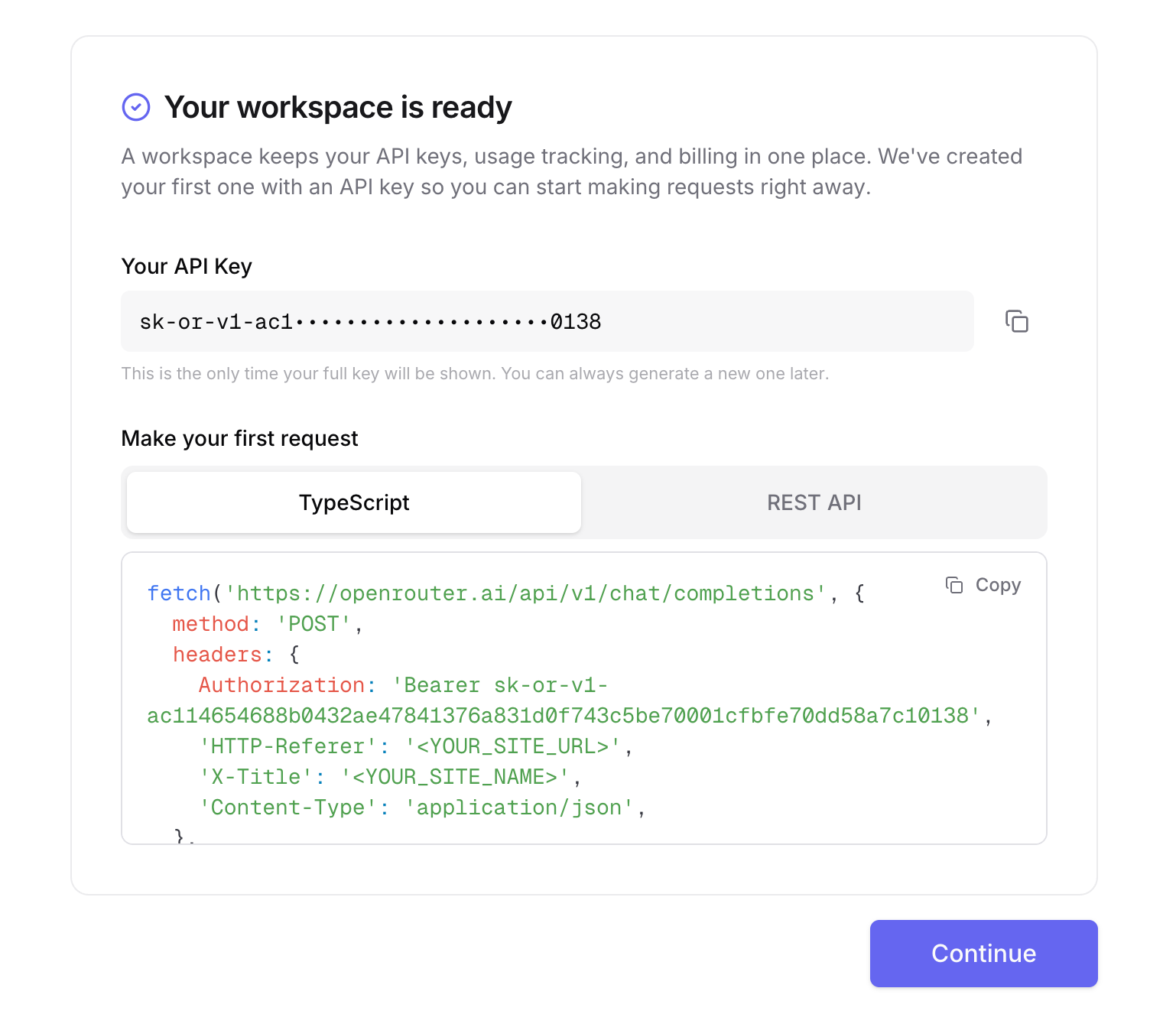
This single API key gives you access to any of the 400+ models on the platform. It’s built to be fully compatible with OpenAI’s API format, so anywhere you’d paste an OpenAI key an OpenRouter key works as a direct replacement.
Now that you’re in, the first thing you should really do is buy credits. Credits work across every model on the platform, you can add funds once and spend them on whichever models you want to use.
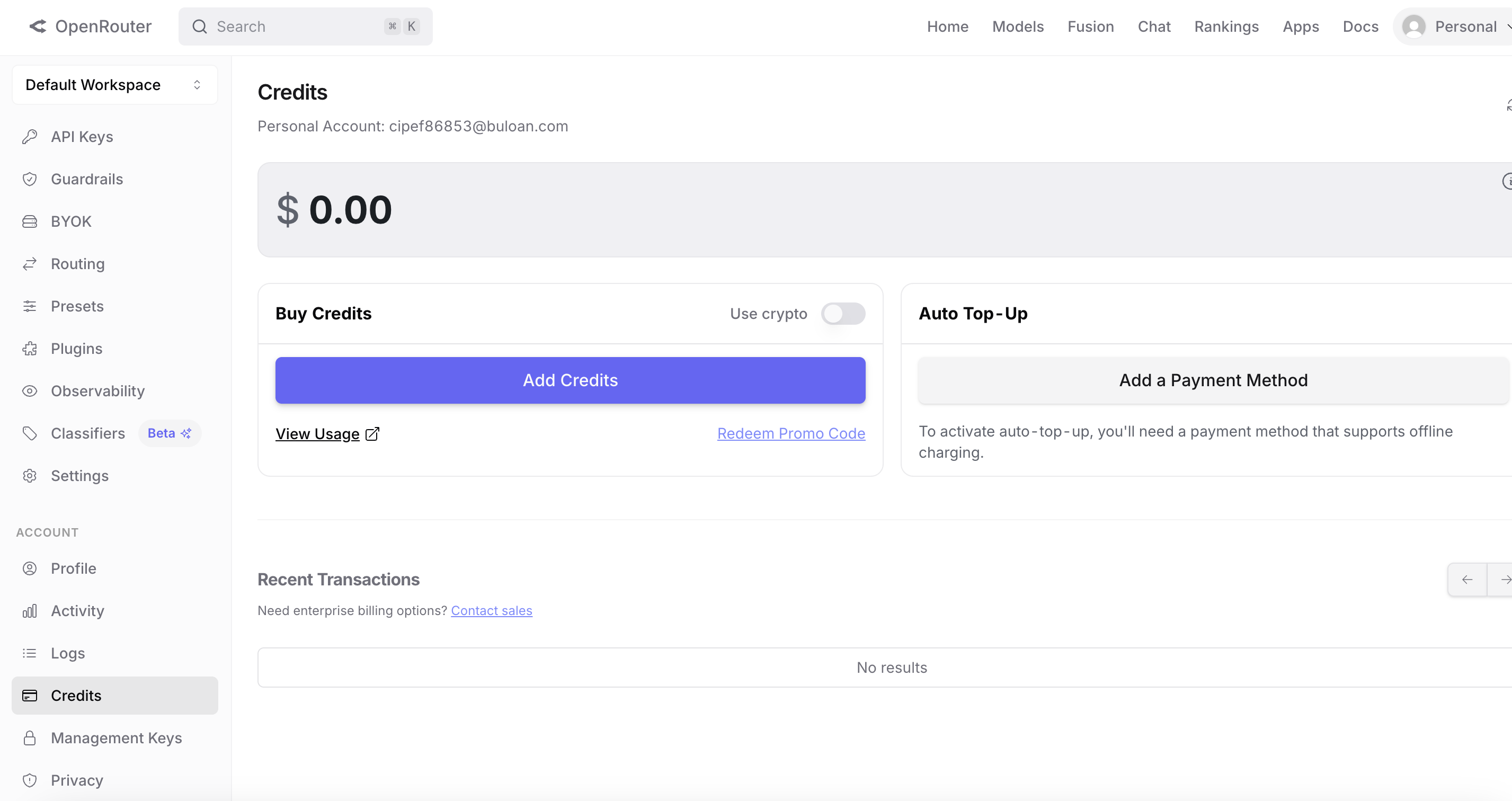
Adding just $10 goes a long way for casual use, but there are also free models available if you just want to explore without spending anything.
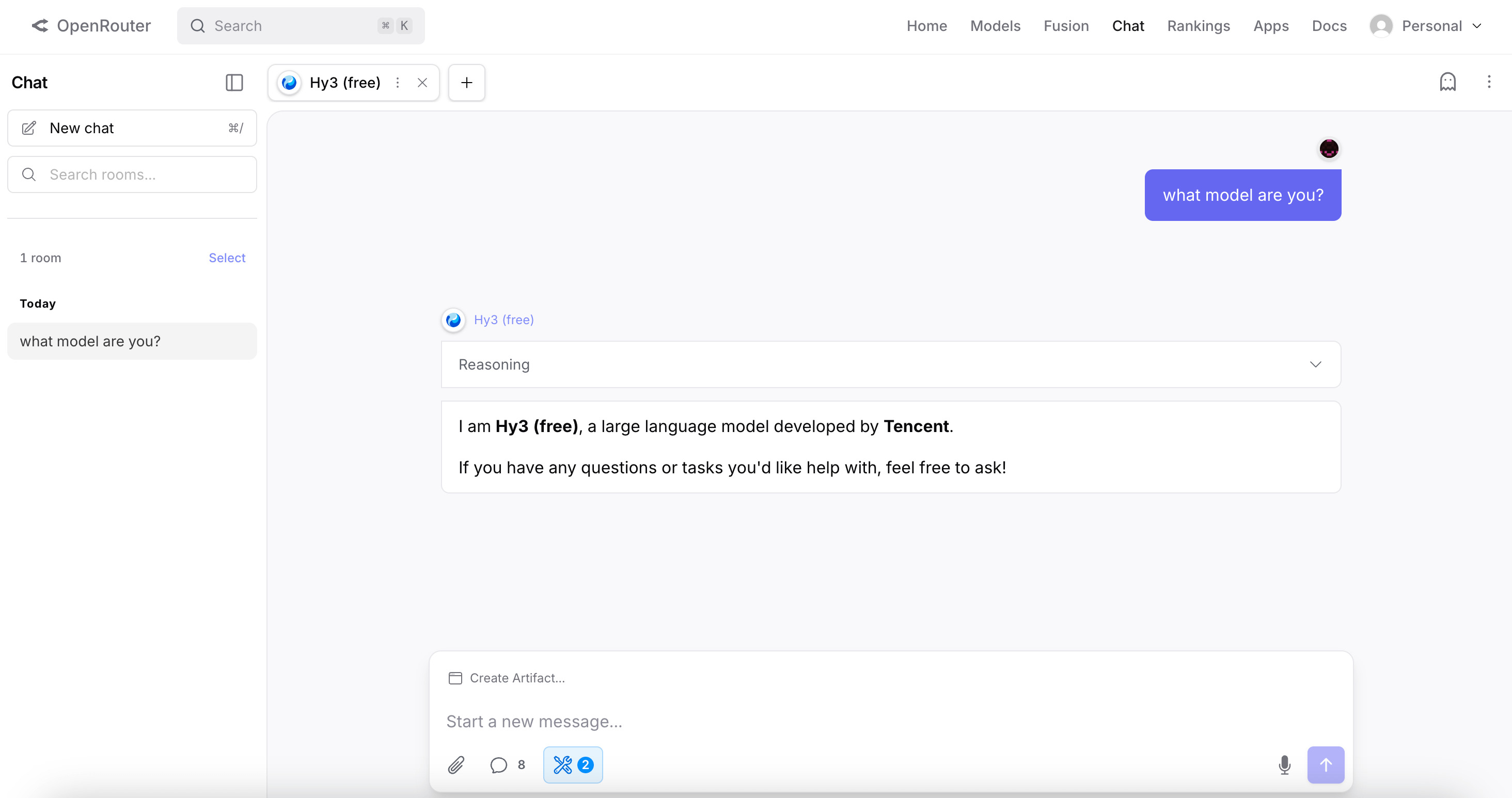
To test these models out directly there’s also a chat interface at openrouter.ai/chat so you can play around without any setup.
The model library
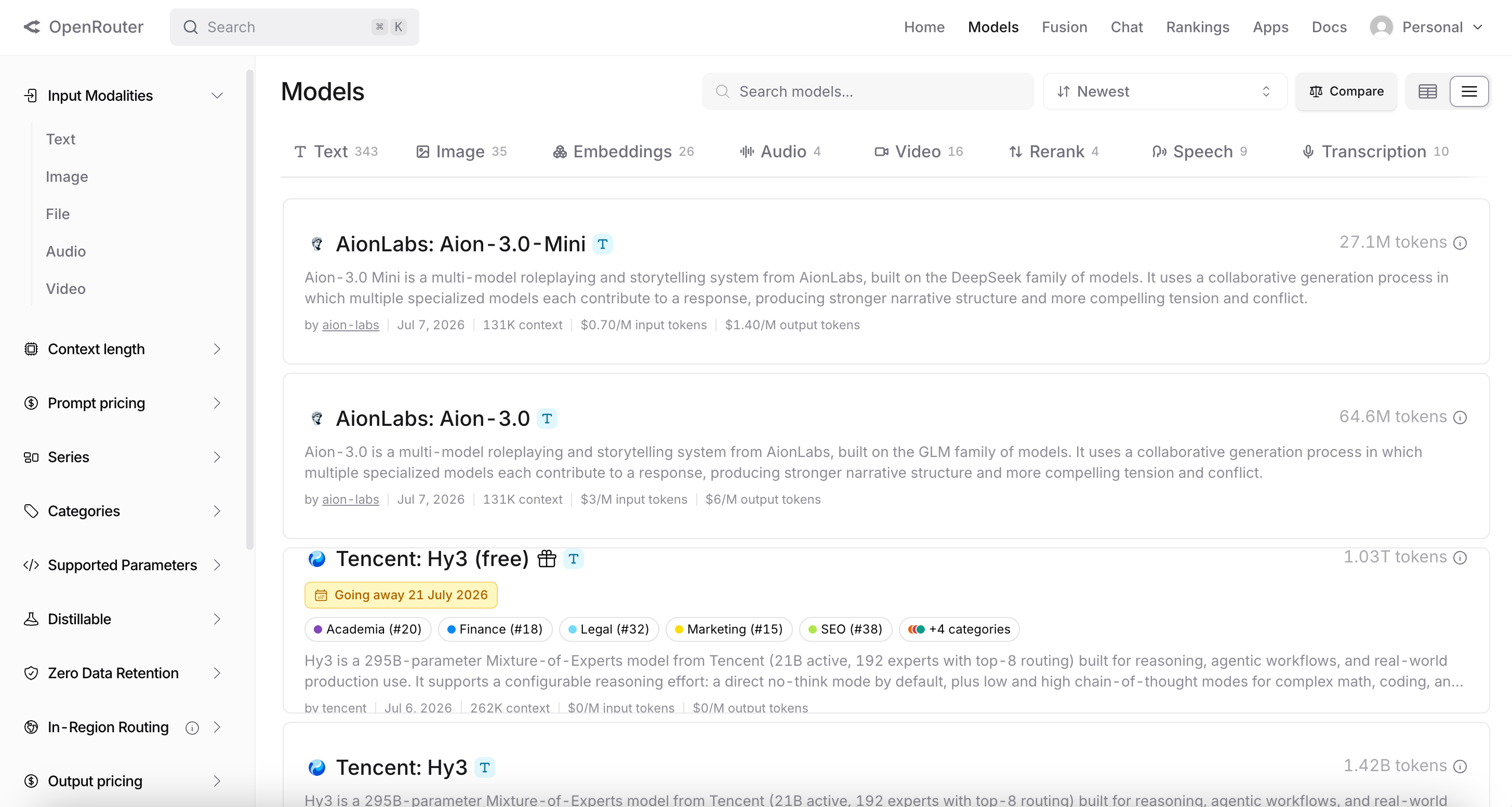
The real value becomes clear when you start exploring the model library at openrouter.ai/models.
OpenRouter offers every major model: Claude Opus 4.8 and Fable 5, GPT-5.5, Gemini 3.1 Pro, Llama, DeepSeek, Qwen, Mistral, and hundreds more. For each one you can see the price per million tokens, the context window size, and which underlying providers are serving it.
The rankings page at openrouter.ai/rankings is one of the most useful things on the site. Rather than academic benchmarks, it shows you which models people are actually using through their API right now, ranked by real token usage.
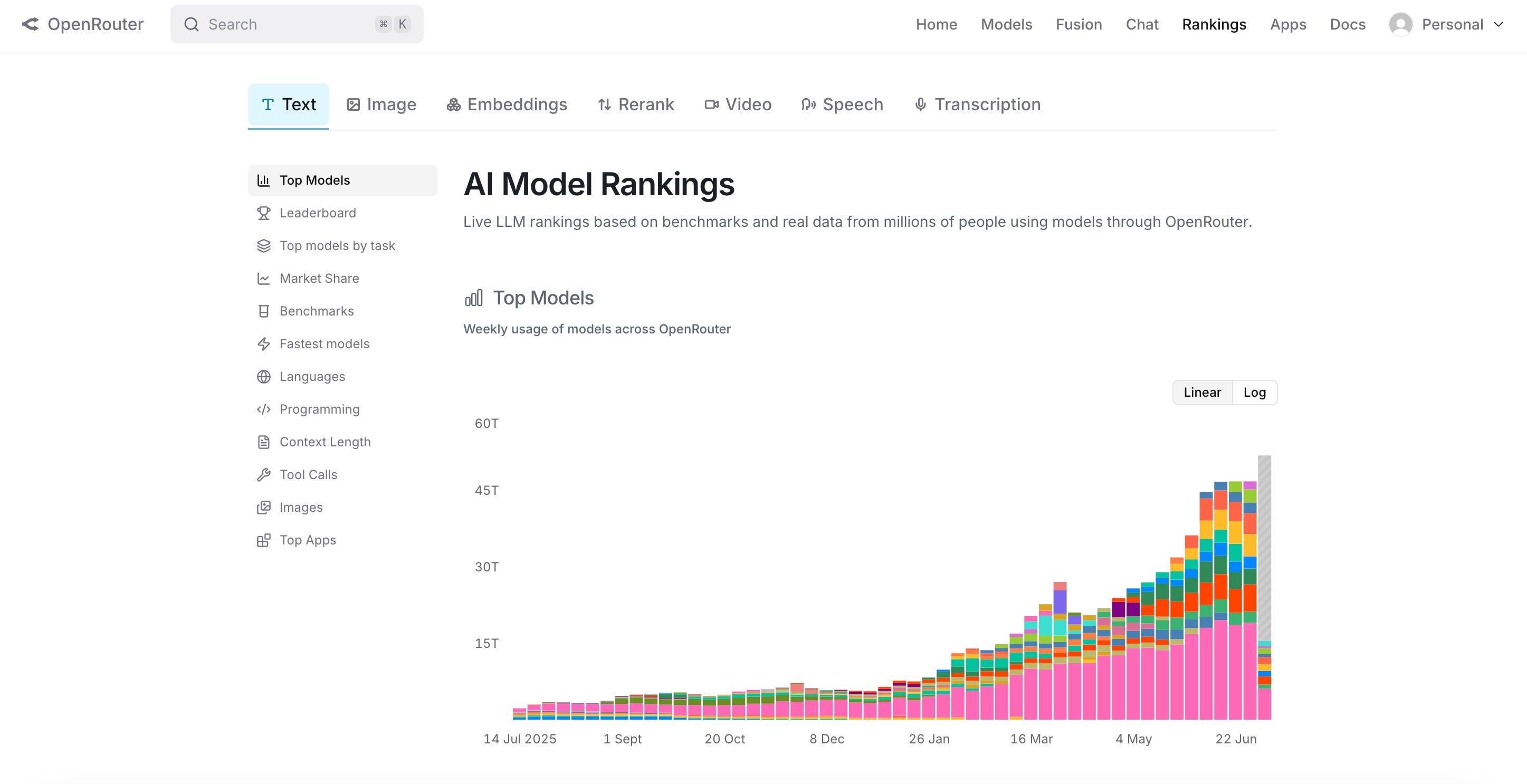
This is a more honest signal of which models are delivering value in practice than any leaderboard out there.
A couple of data points from the rankings worth noting are that firstly Chinese models now account for over 45% of all tokens processed on OpenRouter, and secondly no single provider holds more than 23% market share.
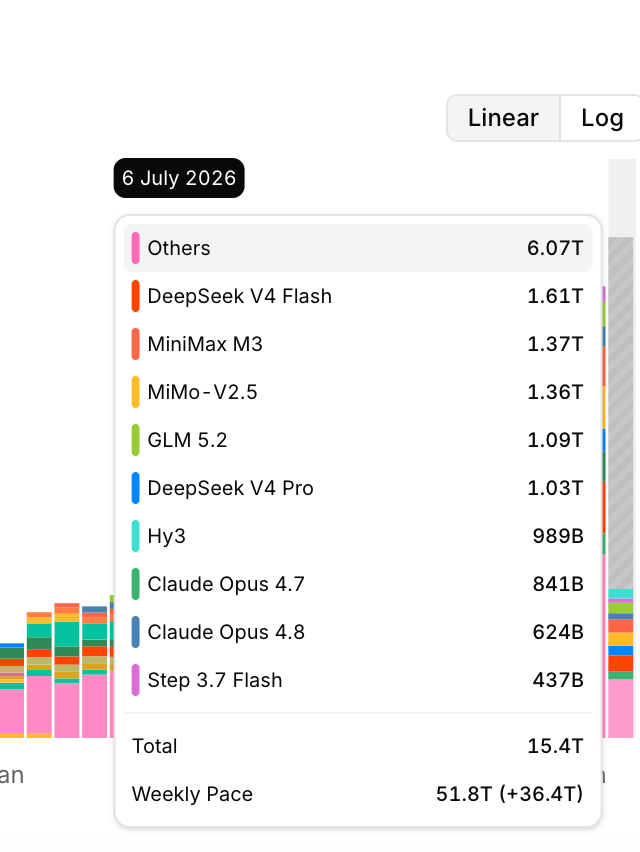
The AI landscape is more competitive and spread out than the coverage of any individual model might suggest.
Using it with your agents
If you set up your own Hermes agent with my post last week then you can connect it to OpenRouter directly from the Settings → Providers screen in the Hermes desktop app.
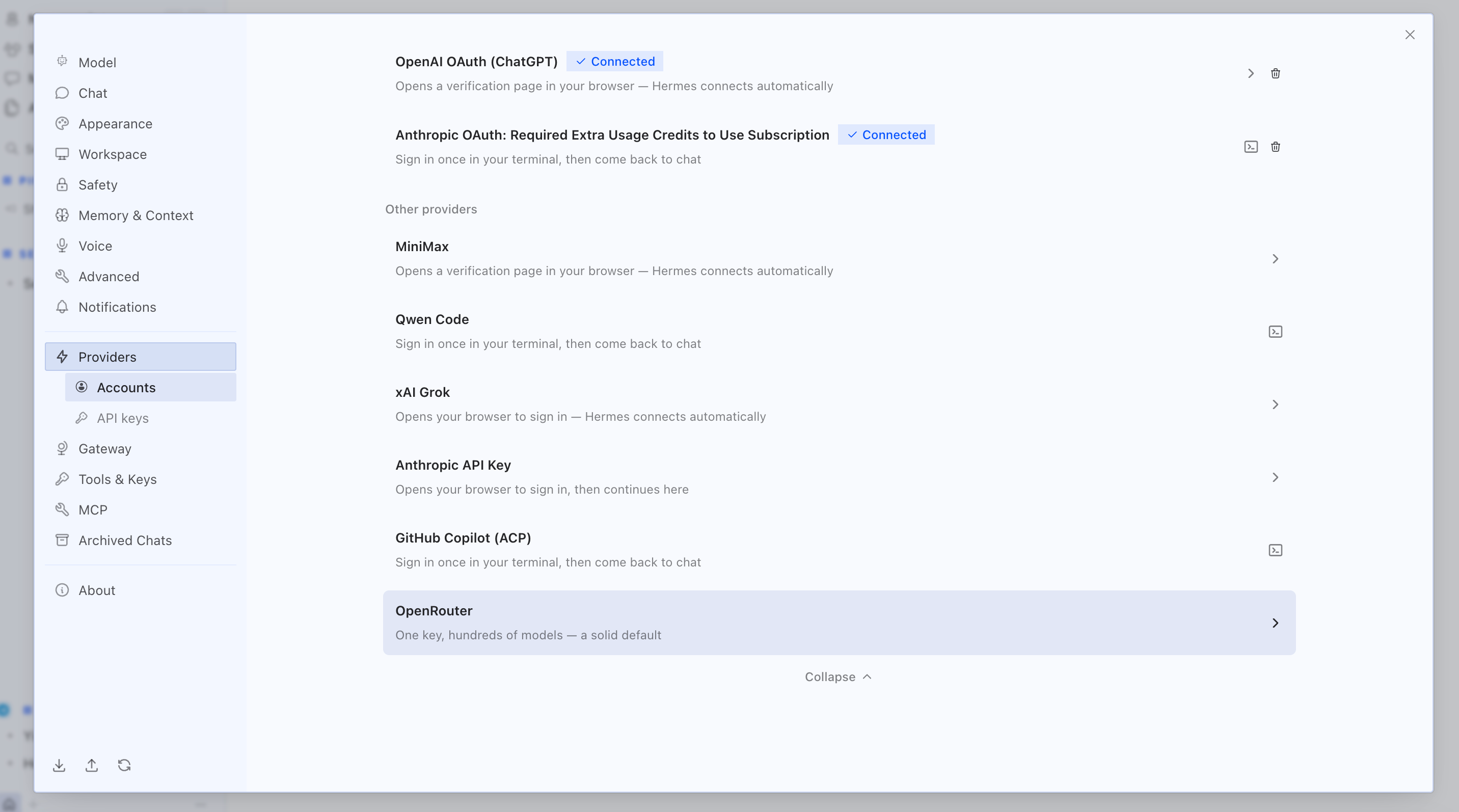
On selecting the OpenRouter option you can then save your API key and select your favourite model in the session tab.

Hermes is actually a featured app on OpenRouter’s homepage, and routing through OpenRouter gives you access to every model from one place rather than setting up each provider separately.
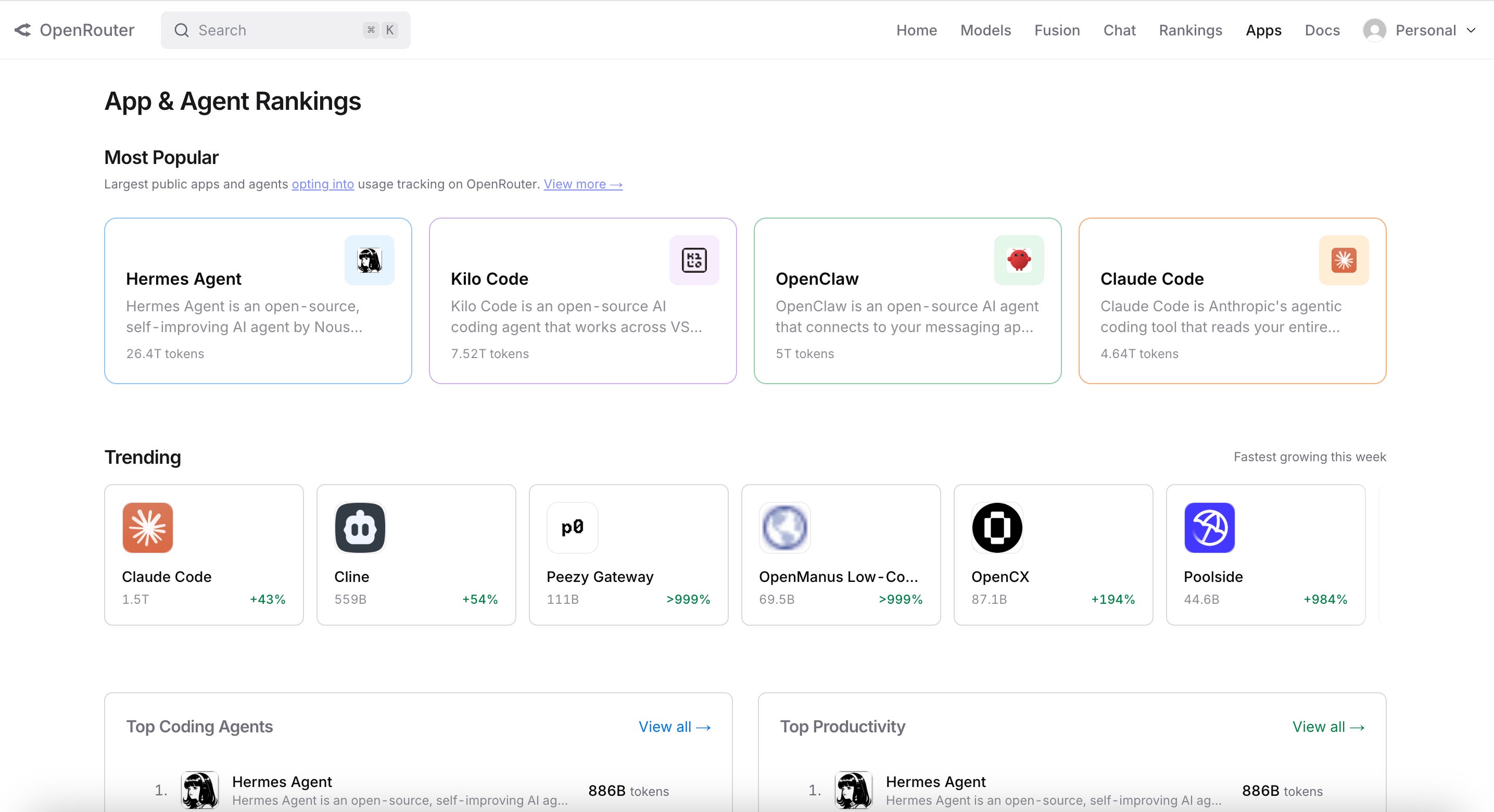
Beyond Hermes, OpenRouter works with anything that uses the OpenAI API format. That covers most AI tools and agent frameworks in use today.
One feature worth highlighting for anyone running agents is “automatic fallback.” If the provider serving your chosen model goes down, OpenRouter reroutes the request to another provider automatically. For an always-on agent running on a VPS that’s an incredibly useful feature.
Why it matters
The AI landscape is genuinely fragmented as new models appear every few weeks, each with different strengths, prices, and availability. Managing separate accounts and API keys for each provider can be genuinely painful if you’re using lots of different models.
OpenRouter removes that overhead entirely big giving you one account, with one key, where you can switch models by changing a single line of config.
It also removes vendor lock-in, as you can easily switch between different models when new ones appear with minimal effort, since OpenRouter always keep up with new releases.
If you’re not building anything and just want to explore different models, then the chat interface that I mentioned before is genuinely worth bookmarking. It’s free to try and lets you swap between any models in the same conversation. It’s the easiest way to get a real sense of how different models compare on your actual use cases.
Importantly I also just scratched the surface of what OpenRouter can do as they have many more interesting features such as the ability to fuse outputs from different models, plus a whole host of other features.
For anyone building with AI OpenRouter has become infrastructure that’s hard to go back from. The model landscape will keep changing and having a routing layer in front of it means you can adapt rapidly to the changing demands and capabilities.

Whenever you’re ready, these are the main ways I can help you:
Want high crypto returns? Earn up to 14% APY with your own Yieldseeker agent!
Love Web3 & AI? Follow @afoxinweb3 on X for insights!
Entrepreneur using AI? Join our AI community to accelerate your results!